Wan Video Watermark Removal: What Alibaba's Own API Docs Say (2026)
Mark Ma
Last updated: November 2026
Type "InShot watermark removal" into a search bar and the front page assembles itself from leftovers: a two-language tutorial pair from one InShot fan site, two generic logo-removal listicles, an academic PDF about distance learning — and one query over, a fleet of cracked "Pro APK" pages promising a watermark-free app outside any store. What the front page does not hold is a page from InShot itself. The company publishes no English help-center article about its watermark, so the mechanism lives in the app's store listings and in the concordant descriptions of independent tutorials.
UnMark pays its bills on this exact problem — UnMark, the cleanup product we run, spends its days on stamped footage, and InShot-labeled files reach our queue constantly because the app sits on hundreds of millions of phones. We compared the official listings against three independent tutorials before writing a word, and the picture they draw is simpler than the search results imply: the watermark belongs to the editor, not to your footage, and the editor hands you two official ways to ship without it.
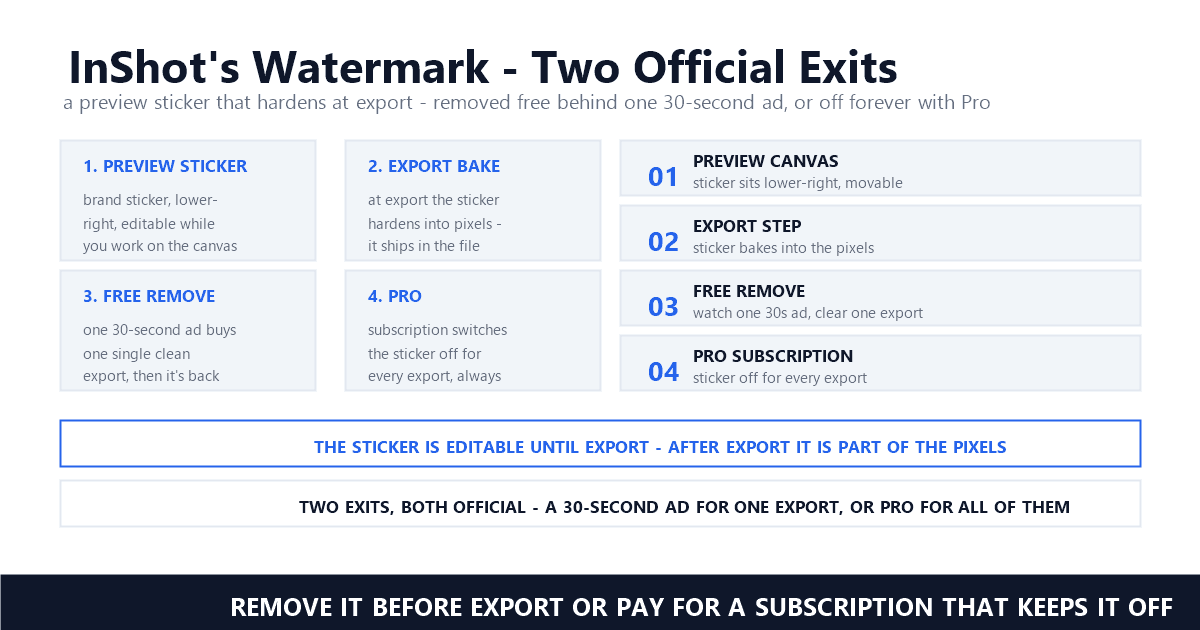
Sticker is the right word for what InShot applies: a graphic the app draws onto the preview canvas while you edit, which hardens into pixels the moment you export. That timing — removable before the render, permanent after it — is the entire story. Everything a search page sells as removal is either one of those two official paths wearing a keyword's clothes, or surgery on a file that could have been exported clean for nothing.
On the free plan, yes — every export carries an InShot brand sticker in the bottom-right corner. The mark comes from the editor itself, not from your footage. Subscribe to InShot Pro and the App Store listing promises the sticker and the ads both vanish from every export.
The official confirmation sits in the App Store listing that InShot's developer, SHANTANU PTE. LTD., maintains. Its subscription section reads: "With an InShot Pro Unlimited subscription, you have access to all features and paid editing materials including stickers, filter packages, etc. Watermark and advertisements will be removed automatically." — Apple's App Store listing. Two removals in one sentence: the watermark and the advertisements leave together, automatically, once a subscription is active — which tells you the free experience bundles both by design.
Scale explains why the sticker is everywhere. The US App Store shows a 4.9 rating across 2.4M ratings and a #19 rank in Photo & Video, with the app weighing 254.7 MB and exporting up to 4K at 60fps — "Now InShot support save in 4K, 60fps" — Apple's App Store listing. Google Play's description bills it as a "Powerful Music Video Editor and Photo Editor with pro features" — the Google Play listing — while the watermark question goes unmentioned there entirely. HitPaw's guide, refreshed on November 6, 2026, states the mechanism without hedging: "The InShot watermark is only added when you use the free version to edit videos." — HitPaw's guide.
The distinction matters for what kind of mark this is. Editors that stamp free tiers apply identical logic — Filmora on desktop and CapCut on mobile both brand free exports and switch the mark off at paid plans, the mechanics documented in our Filmora guide and our CapCut guide. None of these stamps carries a compliance duty inside it. It is advertising, and advertising has an off switch.
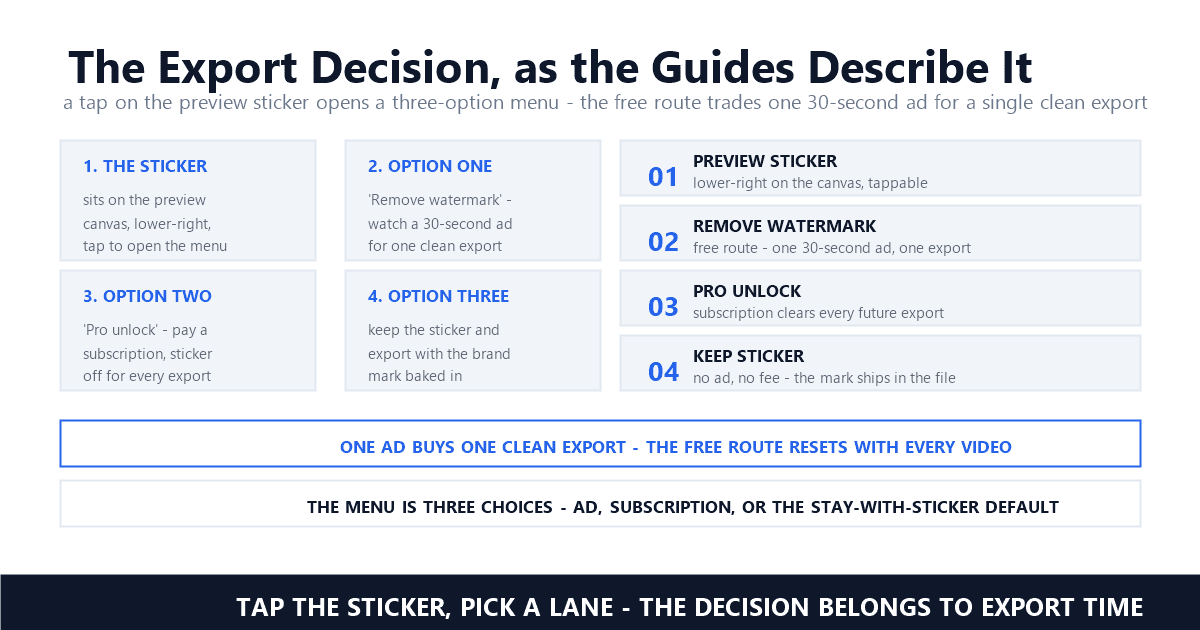
Tap the sticker on the preview canvas, choose Free Remove, and watch a 30-second ad — tutorials describe the sticker disappearing for that export only. Repeat per video, or upgrade. No official English help page documents the flow; three independent guides agree on every step.
Here is the flow as the guides describe it. InShotPC's tutorial is the most granular: "In this preview, you will see the InShot watermark in the bottom right corner of the video." — InShotPC's tutorial — and tapping that mark opens a choice: "A menu with three options will appear." — InShotPC's tutorial. The free path is the headline: "You can remove the watermark from your videos in exchange for watching a 30-second ad." — InShotPC's tutorial. HitPaw's November 2026 update describes the same gesture: "Once done, tap on the watermark icon and select 'Free Remove' by watching an ad." — HitPaw's guide.
The catch is the fine print: "this option will only remove the watermark on a one-off basis, meaning you will have to repeat the process of watching an ad every time you want to remove the watermark from a video" — InShotPC's tutorial. HitPaw compresses it to "The watermark disappears for that export only." — HitPaw's guide — and lists "Need to watch ads for each video" as the method's lone con. Wondershare's guide adds a caveat the others skip: "you can sometimes watch a short advertisement to remove the watermark for that specific editing session. This is a legal, free feature provided by the developers, though it may not always be available." — Wondershare's guide.
An honesty note belongs here: because InShot ships no English help page for this flow, we treat it as well-corroborated third-party description rather than official documentation. The corroboration is wide — HitPaw, InShotPC, and Wondershare agree on the tap-sticker, watch-ad sequence, and the same instructions circulate far beyond English: an Indonesian guide at Pikiran Rakyat tells readers to click the sticker marked InShot and pick FREE REMOVE, matching the English guides gesture for gesture. Where a detail rests on one source alone — the exact ad length, the exact menu count — we label it as that source's report.
Pro swaps the sticker economy for a flat one: InShot Pro is the subscription tier whose listing text says watermark and advertisements are removed automatically. Pricing runs $4.99 monthly on the App Store's purchase list, with yearly and lifetime options reported around $19.99 and $49.99.
The App Store text is the only official English sentence InShot publishes about the watermark, and it is unambiguous. Billing, likewise: "InShot Pro Unlimited subscription is billed monthly or annually at the rate corresponding to the selected plan" — Apple's App Store listing — with storefront mirrors noting a one-time payment exists outside the subscription plans. The App Store's own in-app purchase list prices the monthly tier at USD 4.99; HitPaw's guide reports the yearly plan at $19.99 and a one-time lifetime purchase at $49.99, and Wondershare's guide matches those figures. Storefront prices drift by region and billing period, so treat the store's own list as the reference and the guides as corroboration.
What Pro buys is not a cleaner removal — it is the absence of the question. The subscription ends the per-export ad ritual, strips banner advertising from the editing session, and switches the sticker off for every future export without a tap. For a creator shipping five clips a week, the arithmetic is one-sided: $4.99 monthly against thirty seconds of advertising multiplied by every export, forever. The free route suits the occasional exporter; the subscription suits everyone else. Our support tickets tell the matching tale from the other side: the majority of stamped InShot files that reach us could have been re-exported clean from a project still sitting on the sender's phone. Whether the same trade is worth taking in a given workflow is exactly what our pricing-led comparisons measure — the habit worth stealing is deciding once, at setup, instead of renegotiating with a sticker on every render.
Because the sticker bakes into pixels at export, and exported files outrun the projects that made them. An online remover reconstructs one static corner region — workable, but a re-export from the original project costs nothing and keeps full quality. The tool market monetizes skipped planning.
Run the search and read the front row: InShotPC's Portuguese and Spanish tutorials, Wondershare's logo-removal round-up with an InShot entry, Aiseesoft's four-ways listicle, an academic PDF on InShot as a distance-learning vehicle. One query over sit the MOD APK pages — inshotpro.pk among them — selling a cracked "Pro" build as the removal answer. No page from InShot anywhere in it. The demand is genuine — the sticker genuinely bakes — but nearly all of the supply answering it is third-party tooling ranked on a keyword the platform itself never writes about.
The tools themselves do one thing: treat the sticker as a region and rebuild what sat behind it. Cropping changes the aspect ratio, blurring leaves a smear, and AI reconstruction fills the corner from surrounding pixels — our methods comparison ranks all three in the inpainting breakdown. Wondershare's guide warns that free online tiers commonly cap uploads around 500 MB and hand your footage to someone else's server in the bargain. Every option edits a file that InShot could have exported clean, which is why the source-first rule in our source-first guide applies with full force: the cheapest removal is the one you never need. In our testing, files billed as stamped InShot exports split cleanly into two piles — ones where the sticker was never disabled at export, and ones where only a corner region needs repair. Sorting the piles takes one habit: scrub the lower-right quadrant frame by frame and watch whether the glyph stays pinned — a fixed imprint yields to one repaired region, while drift between scenes signals deeper surgery. Neither diagnosis matters if the project still exists; reopen, toggle, re-render.
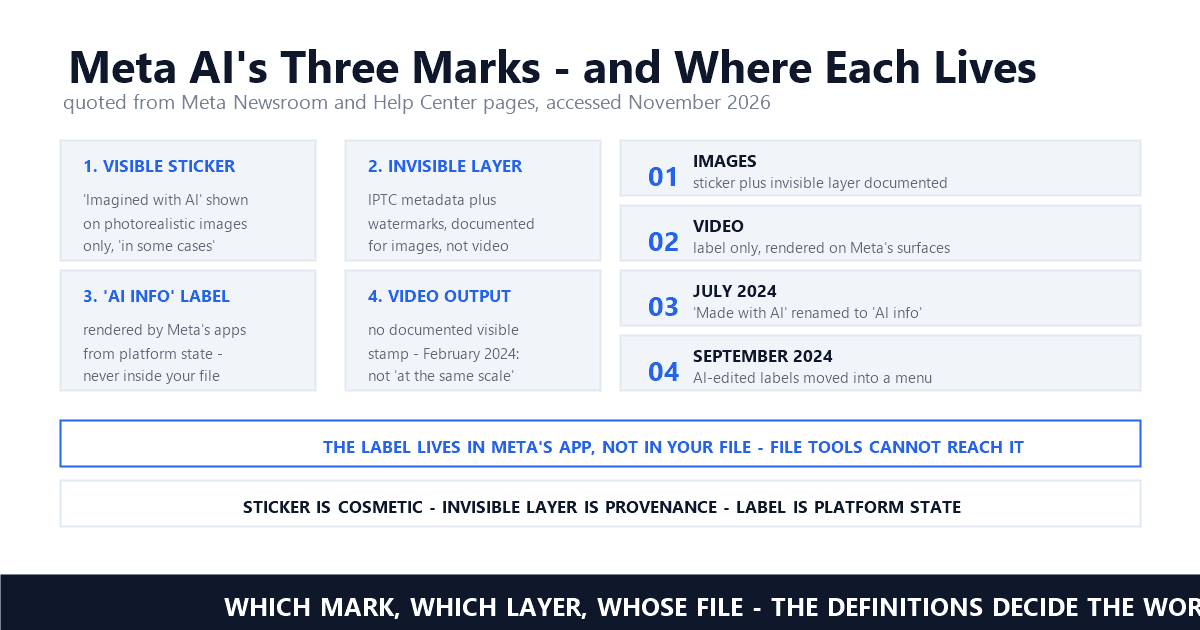
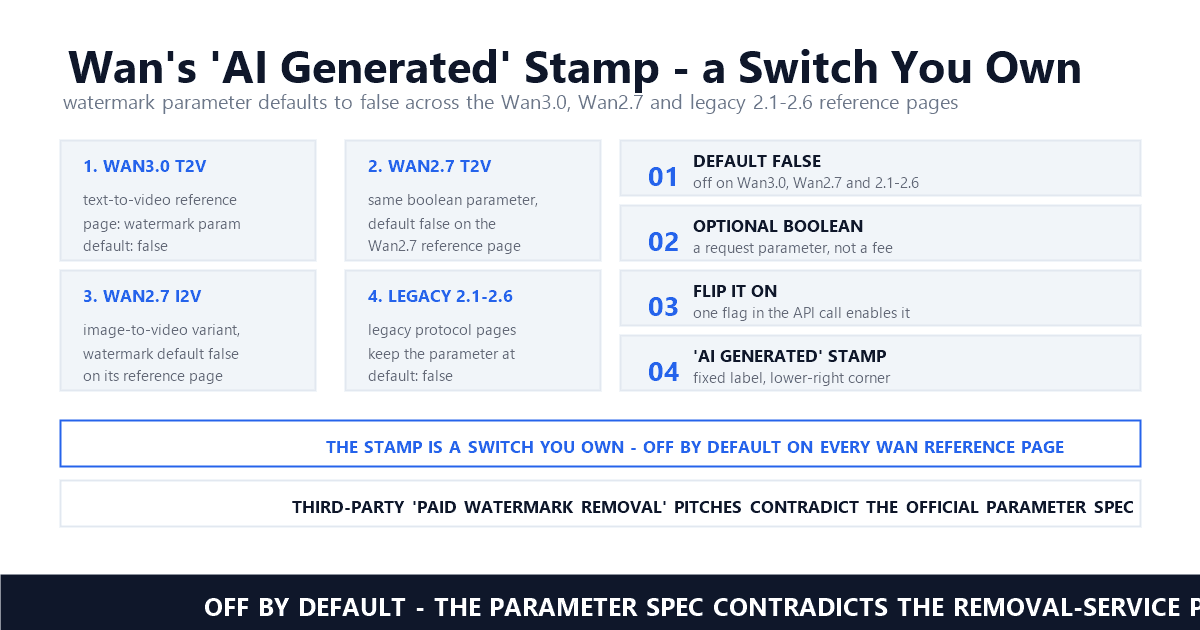
It is worth separating this mark from the other kind we cover. AI video platforms stamp output because the mark carries provenance or regulatory weight — Kling's free tier, documented in our Kling guide, marks every export as generated content. The InShot sticker advertises an app. It sits closer to the marks Loom and Zoom stamp onto their own outputs, covered in our Loom guide and our Zoom recording watermark guide: platform-applied signatures that a settings toggle switches off, not marks a regulator requires.
For footage you shot and edited yourself, cleaning your own export is ordinary asset hygiene, and the ownership analysis covers it. The red lines sit elsewhere: cracked Pro APKs violate InShot's terms, and stripping someone else's branding from their footage is not yours to do.
Wondershare's legal section frames the terms-of-service exchange plainly: "The safest, most ethical, and 100% legal way to remove the watermark is to purchase InShot Pro." — Wondershare's guide. The reasoning: free usage is a barter in which the logo is the currency, and altering the software to bypass that exchange violates the terms. That is why the cracked-APK economy is no loophole but a violation — plus a malware harvest, since sideloaded builds ship outside both app stores' review. The same guide's etiquette warning covers the client case: "using a watermarked free tool and stripping the logo is professionally frowned upon and carries higher liability" — Wondershare's guide.
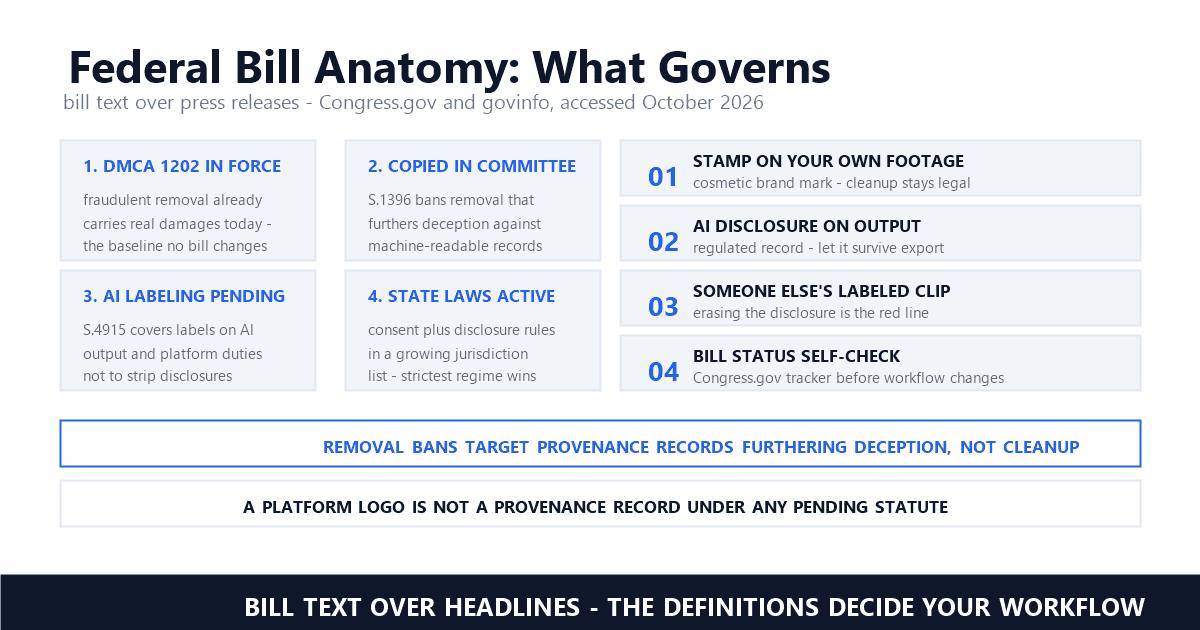
For your own footage, the cleaner framing is ownership rather than law: the sticker rides on pixels you created, and cleaning your own export is the ordinary case our ownership pillar defends in the ownership guide. No copyright-management-information theory attaches to a brand sticker carrying no rights data, which keeps Section 1202 out of most of these conversations — our 2026 legality guide walks when that changes. The conduct to refuse is unchanged from every other platform piece we write: never strip marks from footage you do not hold rights to, and never pass someone else's branded work off as your own.
Decide the watermark question inside the app, before the sticker burns in. Free Remove handles one-off deliveries, Pro handles volume, and a re-export from the saved project beats any after-the-fact tool. Once pixels bake, only reconstruction remains — and it never matches a clean export.
The decision tree is short. One-off delivery: tap the sticker, watch the ad, export clean — the advertisement is the price, and it is paid in seconds. Regular output: subscribe, because per-export advertising does not scale. Already exported with the sticker: reopen the project in InShot and re-export with Free Remove applied rather than repairing pixels elsewhere — the project file is the clean master's closest relative, and re-rendering costs nothing. Only when the project is gone does reconstruction enter, and our batch-cleanup guide covers how stamped archives get processed at volume.
Workflow context changes the answer more than the app does. Product clips headed for storefronts, UGC batches, and client reviews each carry their own stamp policies — our e-commerce guide and our UGC workflow piece cover the cases where a lingering sticker costs a conversion or a contract. Distribution adds the hardest line: watermarked creative in paid placements runs into ad-platform rules, the territory of our ad compliance piece, so settle the sticker before the campaign, not after.
The habit generalizes across every branding-stamp tool we have covered: decide the mark's fate at creation time, keep the source project, and treat after-the-fact cleanup as insurance rather than plan. Capture presets, timestamp deliveries, favor bitrate-honest masters, rehearse re-exports while projects remain open, screenshot receipts, duplicate archives offsite. An app that lets you switch off its own sticker before export is an app that never needed a removal industry around it — the industry exists because exports happen first and decisions happen later. Watermarking is the practice of burning a mark into pixels, and every practice has a moment before it starts; spend that moment well and the search results that opened this piece stop mattering.
Does every InShot export have a watermark?
Free-plan exports do — the InShot sticker sits in the bottom-right corner of the frame. The App Store listing states that a Pro Unlimited subscription removes the watermark and advertisements automatically. Between those poles sits the free in-app option: tutorials consistently describe tapping the sticker and choosing Free Remove, which clears the mark for a single export in exchange for watching an advertisement.
How do I remove the InShot watermark for free?
Use the app's own Free Remove option before exporting: tap the sticker on the preview, choose Free Remove, and watch the advertisement the guides describe — roughly 30 seconds — after which the watermark is gone for that one export. Repeat per video, or move to a Pro subscription once the ritual outlives its welcome. No English official page documents the flow, so follow a guide with recent screenshots.
Can I remove an InShot watermark after exporting?
Not inside the app — once the sticker has baked into the exported file, InShot's own options no longer reach it, which is where online removers enter. They reconstruct or crop the corner region. It works, but a re-export from the saved project is free, instant, and loses no quality, so check for the project before paying any tool.
Last updated: November 2026
Apple App Store — InShot - Video Editor listing (SHANTANU PTE. LTD.) (accessed November 2026; subscription terms, export specs, ratings)
Google Play — InShot - Video Editor & Maker listing (accessed November 2026 via search snapshot; direct fetch returned an empty shell)
HitPaw — How to Remove InShot Watermark from Video Without Blur (accessed November 2026; last updated 2026-11-06)
InShotPC — How to remove InShot watermark: Tutorial (accessed November 2026)
Wondershare UniConverter — 5 Ways to Easily Remove Inshot Watermark - Detailed Guide 2026 (accessed November 2026; updated Nov 06, 2026)
Pikiran Rakyat Portal Brebes — Cara Menghilangkan Watermark di Aplikasi InShot secara Gratis (accessed November 2026; Indonesian-language corroboration of the tap-sticker, Free Remove flow)
WatermarkRemover.now — Cara Menghapus Watermark InShot dari Video (accessed November 2026; Indonesian-language description of the baked-sticker problem after export)
Mark Ma is the founder and lead engineer at UnMark, where he leads the development of AI-powered video watermark removal technology. With over a decade of experience in computer vision, deep learning, and video processing, he has built production systems that process millions of frames per month across TikTok, Instagram Reels, and Google Veo content. His technical work focuses on motion-compensated watermark detection, spatial-temporal inpainting, and quality-preserving reconstruction for short-form vertical video. Before UnMark, Mark shipped computer vision infrastructure at scale for content moderation and ad compliance platforms. He writes this blog to document the real engineering, testing, and regulatory reasoning behind UnMark's processing pipeline — every test result, frame analysis, and benchmark published here is reproduced from actual production data, not synthetic examples. His goal is to give creators, brands, and regulators a verifiable technical reference for AI video watermark removal in 2026.