Agency Video Watermark Removal: The Client Handoff Guide
Mark Ma
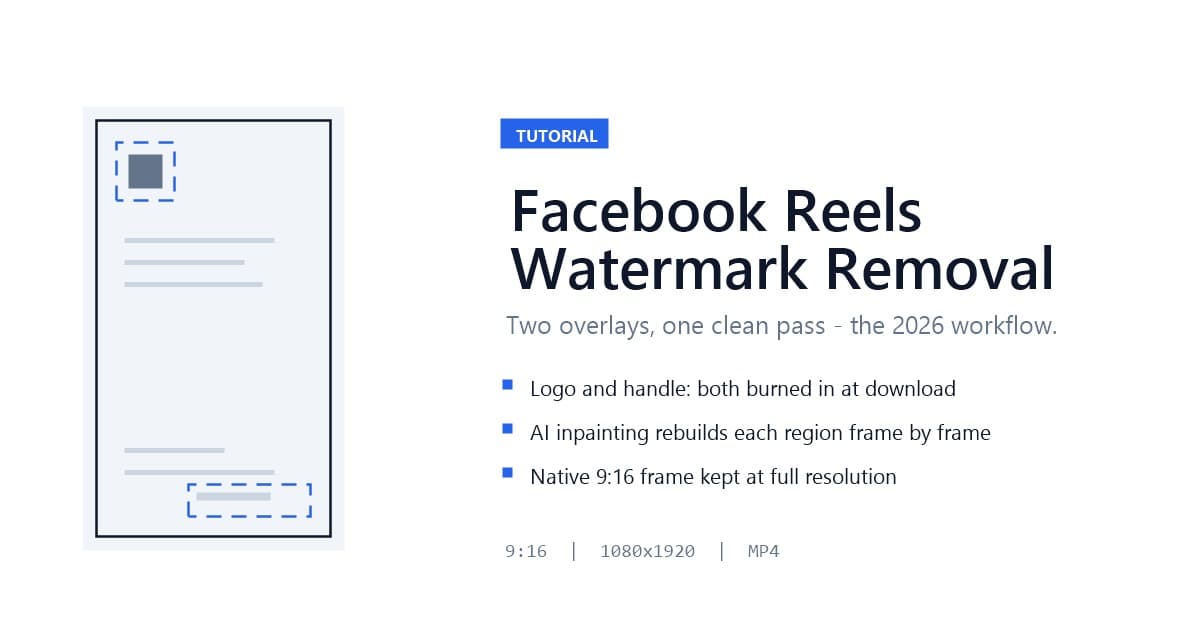
Here is the moment every cross-posting creator hits with Facebook: you finish a Reel, it performs well, and you download it from the app to repurpose on TikTok or Instagram — but the saved file arrives stamped with two overlays, the Facebook Reels logo and your account handle, burned into the frame. There is no setting in the app to download without them. Facebook Reels watermark removal means cleaning those two elements off the file you already have: AI inpainting detects both overlays, reconstructs the pixels behind them frame by frame, and returns your vertical video clean at full resolution.
I have been running this workflow on my own Facebook Reels since Meta ramped up its watermarking, and in this guide I will walk through the exact steps — download, remove, verify — plus the 2026 twist most guides miss: Meta's new Content Protection system now scans Facebook and Instagram for reposted Reels, which changes the legal and practical picture for anyone cleaning watermarks off videos they did not create.
Last updated: August 2026
The Facebook Reels watermark is a pair of fixed overlays — the Facebook Reels logo and the posting account's handle — that Facebook burns into a Reel at download time through the in-app "Save video" option. Viewers watching inside Facebook never see these marks; they exist only on the exported file, so the clip carries Facebook branding wherever it is re-shared.
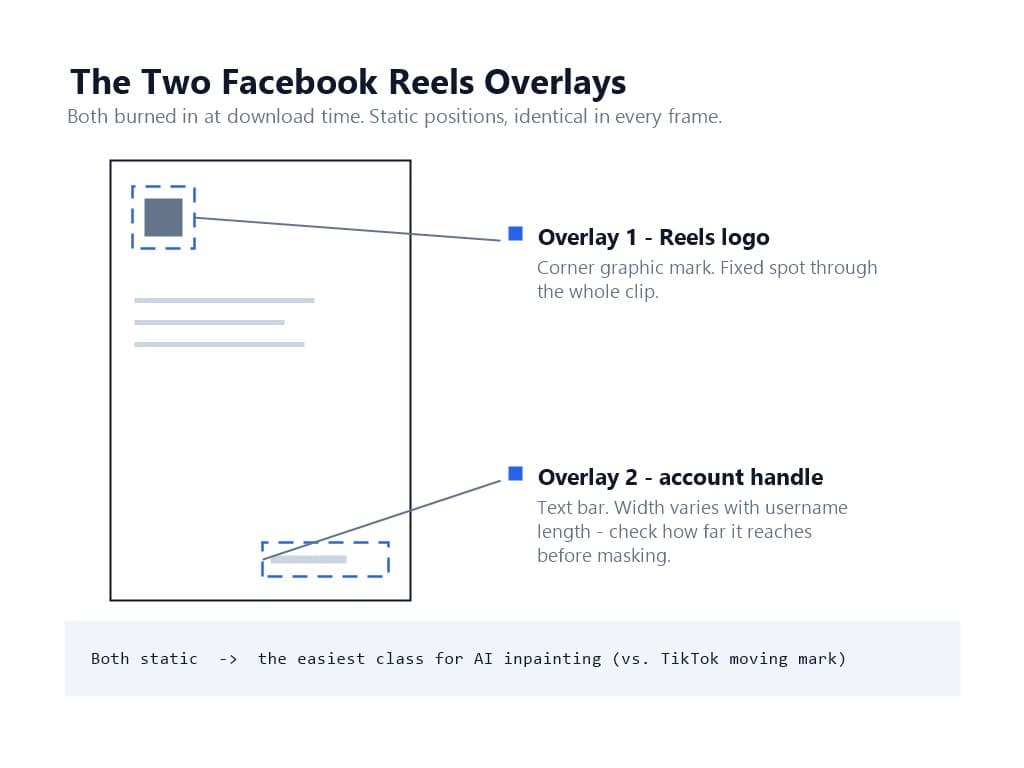
Two elements, not one, and the distinction matters for removal. The logo sits in a corner as a graphic mark, while the handle is a text string that can appear in a different position depending on the version of the app and the length of the username. A removal pass has to find and reconstruct both regions. Because both elements hold static positions through the clip, they are predictable targets for AI inpainting — unlike TikTok's bouncing logo, which changes position as the video plays.
The file itself is worth protecting. Facebook Reels are vertical 9:16 video, and the platform recommends uploading at the highest quality your camera produces — most creators publish at 1080×1920. A removal method that crops the frame to dodge the logo throws away exactly the resolution you uploaded for.
Facebook stamps downloaded Reels for the same reason TikTok and YouTube do: cross-platform attribution. Meta wants every re-shared clip to advertise its origin, so the watermark is applied by design when you use "Save video" — a branding decision with no in-app opt-out. Reels have become the most-viewed content format across Meta's platforms, which makes them the most reposted format too, and Meta treats that reposting activity as audience traffic worth claiming.
The platform dynamics cut both ways. Instagram — which shares Meta's content systems with Facebook — has publicly confirmed that it suppresses videos carrying third-party watermarks. Instagram chief Adam Mosseri stated it directly: content with a logo from another app is "less likely to be recommended" in Explore and recommendations. A Facebook-watermarked Reel re-uploaded to TikTok runs into the same wall from the other direction. The watermark you leave on the file quietly caps its reach on every platform except the one that put it there.
So the creator's calculation is straightforward. If you repurpose your own Reels across platforms — the standard multi-platform workflow in 2026 — a clean file is a reach requirement, not a cosmetic preference.
Facebook's watermark is a static two-element overlay, which puts it in a different difficulty class from the other two majors. Here is the comparison I work from:
The practical takeaway: static watermarks give an AI model identical surrounding context in every frame, so reconstructions come out stable and clean on the first pass at a high rate. Moving watermarks occasionally need a second pass. If your repurposing queue mixes all three platforms, expect the Facebook and Shorts clips to clear fastest.
One Facebook-specific nuance: because the handle is a text string, its width varies with username length. A long handle can stretch further toward the center of the frame than you expect. Check both overlays' actual positions in your downloaded file before assuming a corner-only cleanup.
The fact most watermark guides have not caught up with: in November 2025, Meta rolled out Content Protection, an automated system that scans Facebook and Instagram for copies of original Reels. When it finds a duplicate or near-duplicate on another account, the original creator gets an alert in their professional dashboard with three options — track the copy's performance, block it from both platforms, or release the claim and leave it up.
This changes the risk math for watermark removal in two directions at once.
For your own content, it is good news. Content Protection gives you an enforcement backstop against people who repost your Reels without permission — including reposts where someone stripped your watermark first. The system is fingerprint-based, not watermark-based, so removing the visible overlay does not defeat detection.
For everyone else's content, it is a wall. Downloading a stranger's Reel, scrubbing the handle, and re-uploading it now carries a realistic chance of an automated takedown across both Meta platforms simultaneously — on top of the copyright issues that existed all along. The lesson I would engrave on every workflow: clean your own Reels, and let Content Protection handle the people who do not.
Three prerequisites, each preventing a specific failure.
First, the right source file. This workflow starts from a Reel you downloaded through Facebook's own "Save video" option — the watermarked file is the input, and the inpainting step cleans it. Third-party downloader sites promise watermark-free copies, but they pull from Facebook's servers in ways that violate platform terms, re-compress the video unpredictably, and sit exactly where Content Protection enforcement is aimed. I treat the in-app download as the only trustworthy source.
Second, format and resolution. The removal pipeline accepts MP4 and MOV, with MP4 in H.264 or H.265 giving the most reliable results. Facebook's saved Reels are already MP4 at up to 1080×1920, which processes at full quality on paid plans (the free tier caps at 720p HD).
Third, ownership. Everything in this guide assumes the Reel is yours. If it is not, the legal section below draws the line explicitly — and the short version is that 2026 is the worst year yet to be cleaning watermarks off other people's content.
On mobile, open your Reel, tap the share arrow, and choose "Save video." The file lands in your camera roll with both overlays burned in. On desktop, open the Reel from your Page or profile, open the post options, and use the download option there.
Immediately after download, open the file and note two things: which corners the logo and the handle occupy, and whether the handle text is longer than you expected. This ten-second inspection tells you exactly what the removal pass needs to cover — and if the handle stretches toward center frame, flag it for a careful spot check later.
One habit from my own pipeline: download in batches, not one at a time. If you are pulling a week's worth of Reels for cross-posting, save them all in one session into a single folder named by date and platform. The cleaning step accepts up to 20 files in one queue, and the batch watermark removal workflow turns the whole folder into one background job.
Upload the MP4 to UnMark. The AI scans the frame, identifies both the logo region and the handle region, and masks each. The inpainting model then reconstructs the pixels behind both overlays across every frame of the clip — the same detection-to-reconstruction chain explained in our process walkthrough, applied here to two static regions instead of one.
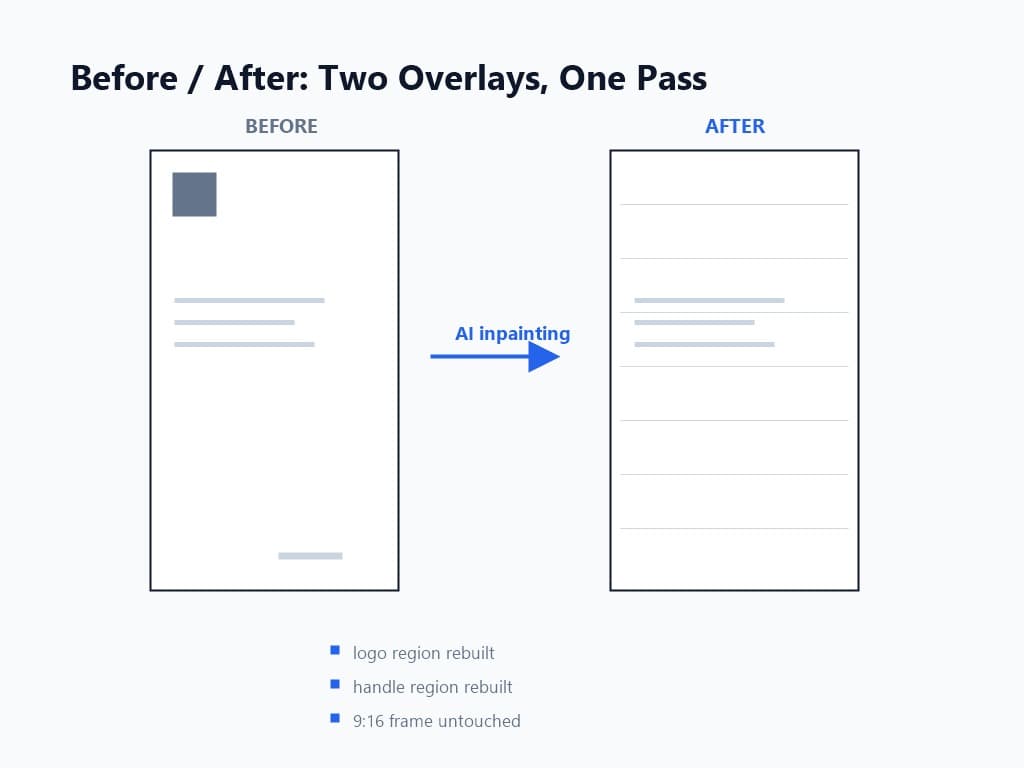
Why inpainting rather than the alternatives? Because the two cheap methods both fail visibly on Facebook Reels. Cropping to exclude the logo corner cuts your 9:16 frame down to a narrower vertical, and every platform's algorithm notices the missing resolution. Blurring or covering the logo leaves a visible patch that reads as damage. Inpainting is the only method that rebuilds the background and keeps the original framing; the full comparison is in AI inpainting vs cropping vs blurring.
Timing and cost from my runs: a typical 1-minute 1080p Reel processes in 2-5 minutes, at roughly 1 credit per minute of 1080p video. GPU acceleration keeps longer clips proportionally fast — a 10-minute video finishes in about 3 minutes. For a weekly queue of Reels, the whole batch clears in the time it takes to answer email.
Never publish a cleaned Reel without a 30-second inspection. Freeze the frame where the logo used to sit, then the frame region where the handle sat, and check both at full size.
My four-point checklist per file:
The two-region nature of the Facebook watermark is what people forget: they check the logo corner, forget the handle, and ship a file with a floating username fragment in the opposite corner. Check both.
Once verified, the clean MP4 drops into TikTok, YouTube Shorts, or Instagram without the third-party watermark penalty hanging over its distribution. The reverse direction of this pipeline — TikTok into Instagram Reels — is covered in our cross-platform repurposing guide, and brand teams running creator content through approvals should pair this step with the UGC workflow checklist.
Four failure modes cover nearly everything I see with Facebook Reels.
Ghost text where the handle sat. The handle is text, and text edges are the first thing a loose mask misses. Re-run the clip with the mask hugging the text tightly; static overlays almost always clear on the second pass.
The logo clears but a second mark appears partway through. Some app versions animate the logo in during the first second. Note the timestamp, and make sure the removal pass covers the full clip duration, not just the first detected frame.
Output is softer than the source. A 1080p Reel processed on the free tier returns at 720p. This is a plan limit, not an inpainting failure — check the plan before re-running.
You only cleaned one of the two overlays. Back to Step 1's inspection: confirm both the logo and handle positions before processing, and verify both regions in Step 3. Two marks, two checks.
For your own Reels, yes — removing the logo and handle from content you created and uploaded is a standard repurposing step. You are managing your own attribution, exactly as you would when re-editing your own footage for any other platform.
For everyone else's Reels, 2026 stacks three separate problems. Copyright still belongs to the original creator regardless of what overlay you remove. DMCA Section 1202 specifically covers stripping rights-management information from works. And Meta's Content Protection now automates detection across Facebook and Instagram — the block button lands on both platforms at once. Our 2026 legal guide to removing watermarks from videos works through the full framework.
The line I operate on: if you uploaded it, clean it freely. If you did not, license it or leave it — the automated enforcement era made the shortcut more expensive than the permission.
Facebook Reels watermark removal is a two-overlay job: the logo and the handle, both static, both burned in at download. AI inpainting handles the pair cleanly in a single pass, keeps your 1080×1920 frame intact, and costs about a credit per minute — while Meta's new Content Protection system handles the enforcement side by fingerprinting your original Reels across both platforms. Download from the app, clean your own content, verify both regions, and cross-post a file no algorithm will penalize for carrying a competitor's mark.
Run your first Reel through UnMark today — and if you are clearing a whole week of clips at once, the batch queue is the way to do it.
Q1: Does the Facebook Reels watermark appear when viewers watch the Reel?
No. The logo and handle overlays are burned in only when you download the Reel through "Save video." Viewers inside Facebook see a clean video; the marks exist to brand the exported file wherever it is re-shared.
Q2: Can I download a Facebook Reel without the watermark?
Facebook offers no watermark-free download option, and third-party downloader sites violate platform terms and re-compress files unpredictably. The reliable path is downloading normally and removing both overlays with AI inpainting afterward.
Q3: Is the Facebook watermark harder to remove than TikTok's?
No — it is easier. The Facebook logo and handle hold static positions, giving the inpainting model stable surrounding context in every frame. TikTok's logo moves around the frame and requires motion tracking, making it the harder case.
Q4: Will removing the watermark affect my video's resolution or aspect ratio?
No. Inpainting reconstructs only the masked overlay pixels. The clip keeps its native 9:16 frame and full resolution — unlike cropping, which cuts the frame to dodge the logo and permanently loses image area.
Q5: Does Meta's Content Protection detect watermark removal?
Yes, in the sense that detection is fingerprint-based rather than watermark-based. Removing the visible overlays does not hide a copied Reel from Content Protection scanning — which is why this workflow is for your own content, not other people's.
Mark Ma is the founder and lead engineer at UnMark, where he leads the development of AI-powered video watermark removal technology. With over a decade of experience in computer vision, deep learning, and video processing, he has built production systems that process millions of frames per month across TikTok, Instagram Reels, and Google Veo content. His technical work focuses on motion-compensated watermark detection, spatial-temporal inpainting, and quality-preserving reconstruction for short-form vertical video. Before UnMark, Mark shipped computer vision infrastructure at scale for content moderation and ad compliance platforms. He writes this blog to document the real engineering, testing, and regulatory reasoning behind UnMark's processing pipeline — every test result, frame analysis, and benchmark published here is reproduced from actual production data, not synthetic examples. His goal is to give creators, brands, and regulators a verifiable technical reference for AI video watermark removal in 2026.