How to Remove the InShot Watermark From Your Videos (2026)
Mark Ma
Last updated: November 2026
Type "PowerDirector watermark removal" into a search bar and the results argue in several languages at once. CyberLink's support article on disabling its AI watermark ranks in Spanish, German, and Chinese before the English original; a French blog sells the suite as a tool for erasing other people's marks; and an English guide updated in March 2026 teaches cropping the stamp out of finished files. Missing from the front row is what the company publishes in English: five official pages that name every mark the product applies and the switch that clears each one.
Cleaning stamped footage funds this site — UnMark, the cleanup product behind this blog, spends its days on branded renders, and its files carry heavier cargo: 4K timelines, client deliverables, subscription histories. We compared the five English pages — product FAQ, download page, pricing table, three support articles — clause by clause, because the correction lives in the gaps between them.
The short version: PowerDirector Essential is the free desktop tier CyberLink markets as "free, forever", and neither marketing FAQ so much as whispers the word watermark — while the support documentation lists "Watermark appears on the produced video" among Essential's limitations. Watermarking is the signal CyberLink attaches to license states in some paths and to AI compliance in another, and telling the three apart decides whether your fix is a purchase, a Preferences toggle, or nothing at all.
CyberLink's own pages answer this question three ways. The marketing FAQs describe Essential as free forever and never mention a watermark. The support FAQ lists "Watermark appears on the produced video" among Essential's limitations. The Auto Edit page confirms stamped exports for Essential users. Conditional marks, every condition documented.
The product page FAQ asks "Is PowerDirector free?" and answers: "Yes, PowerDirector offers a 100% free version: PowerDirector Essential with no time limits. You can use core editing tools and basic AI features forever without any subscription or payment." — CyberLink's product page FAQ. The Essential download page matches, promising "no subscription or payment required" and "the same powerful toolkit. Free, always." — CyberLink's download page. Across both FAQs, the word watermark never appears.
Now the support side. The article "What are the limitations of CyberLink PowerDirector Essential?" states: "Certain premium features are accessible during the 30-day trial period. However, once the trial period ends, these premium features will no longer be available." — CyberLink's support center. Under "Other limitations" it lists, verbatim, "Watermark appears on the produced video" alongside "Producing 2K/4K resolution H.264 video files is not available" and a ban on H.265 handling — CyberLink's support center. The page refuses to say when the mark applies or which setting removes it — but it is the only official English sentence admitting the mark exists. The Auto Edit article adds a footnote admission: "For Essential version users, the Add to timeline option is not available, and the exported video still contains a watermark." — CyberLink's support center.
That split is what powers the rumor. The claim "every free export is stamped" is closer to the support documentation; the promise "free forever, no watermark mentioned" is what ranks. Both are official. Editors from other free tiers will recognize the family shape — Filmora and CapCut brand free exports and lift the mark at paid plans, documented in our Filmora guide and our CapCut guide — but the suite splits the announcement across pages that rarely meet, hence search results that read like a dispute, not a spec sheet.
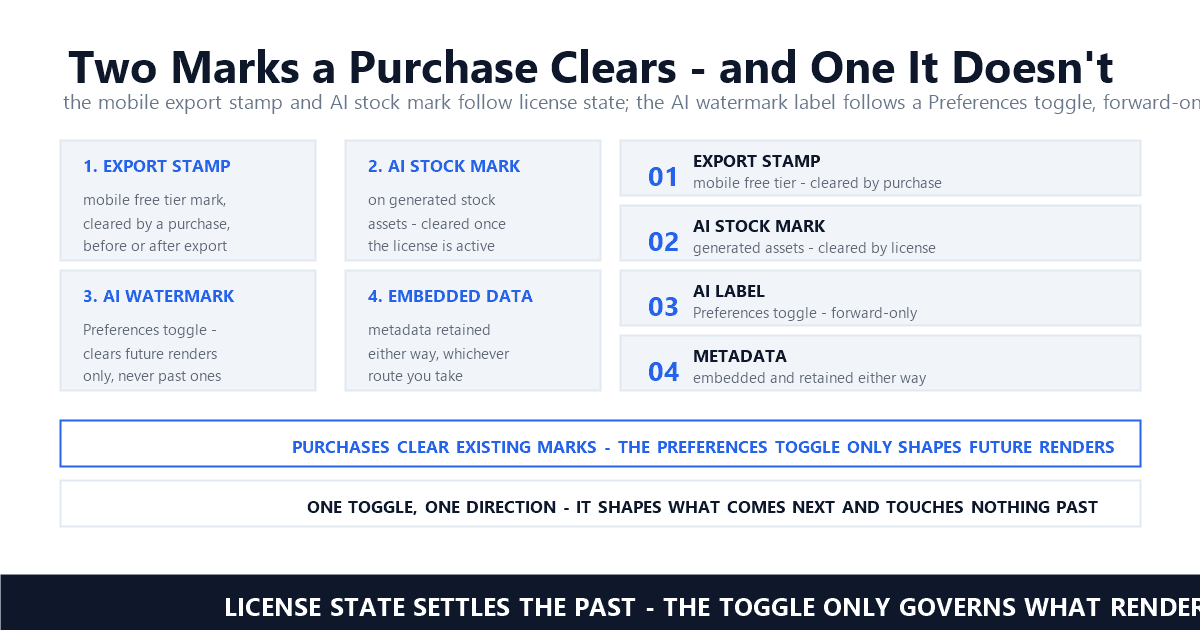
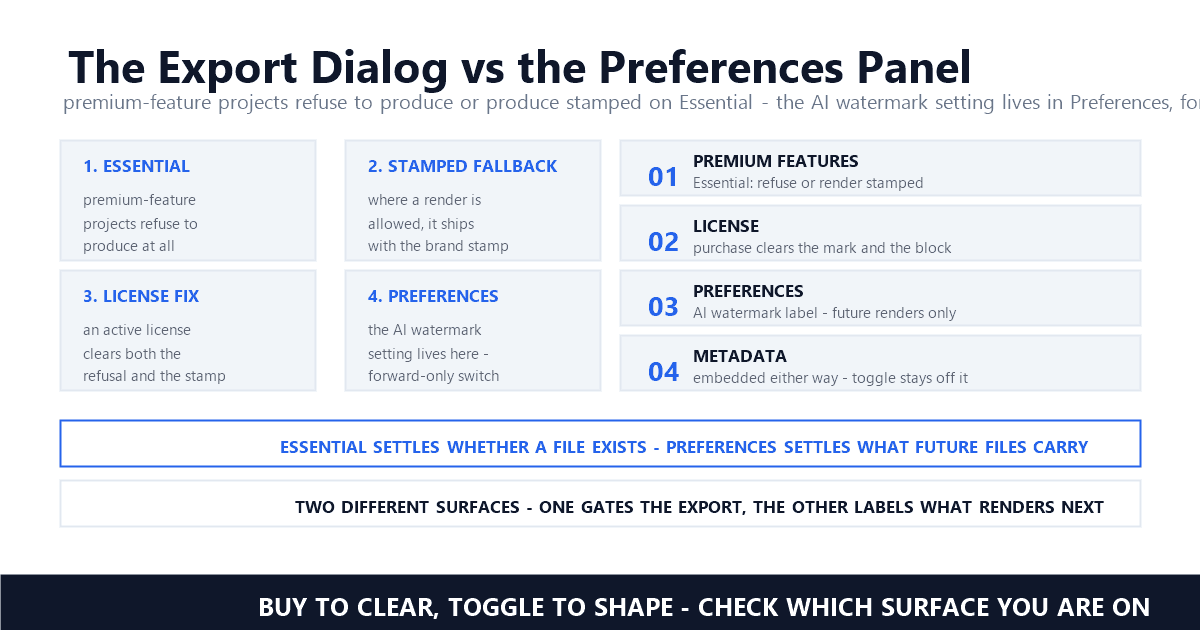
Officially, less than the search results claim. Both marks are license-state stamps: CyberLink's support page ties watermarks to a 30 day trial window and its premium-only preview features, and both clear on paid plans. The AI watermark is a different species — a compliance label that survives payment.
The trial mechanism is the older of the two. Premium features run free for 30 days, then lock; and some stay preview-only forever: "some premium features are only available for previewing purposes, and projects with these premium features applied cannot be exported" — CyberLink's support center. The preview-only roster includes Meta Background Music, Auto Edit, Video Stabilizer, even iStock assets.
The third-party record cannot keep the two stories straight. The top-ranking English tutorial tells readers "the free version of PowerDirector added a watermark to the bottom-right corner of the video" — WonderFox's guide — then explains three paragraphs later that "the PowerDirector watermark is only added to the video created in the trial version" — the same guide. Trial user and Essential user get one mark and opposite explanations. The company's own pages never separate the cases either. The honest reading: both license-state marks — trial-expired and Essential — are one object wearing different clothing.
In our testing with stamped exports, license-state marks share one signature: they disappear on a re-export made under a paid license, because the license check runs at produce time, not at file level. That is the trait to check before paying anyone to "remove" anything — and it separates this class from the third mark, which no purchase touches.
In Preferences, before you generate, not in a remover afterward. CyberLink's support FAQ routes the toggle: open Preferences, select the General tab, find the AI watermark setting, then review the AI content usage notice and accept the terms. It applies only to newly generated media — never retroactively.
CyberLink's FAQ documents the mark: "In PowerDirector 365, PhotoDirector 365, Promeo, and PowerDirector/PhotoDirector 2027 or later, media created using generative AI tools may include a visible AI watermark." — CyberLink's support center. The affected features are named: Text to Image, Image to Video, AI Replace, AI Extend, even GenAI-enabled Object Removal. That last name deserves a beat: CyberLink ships an AI object remover as a user-facing cleanup tool (its own docs cover it from the April 2026 release), yet no company page suggests aiming that tool at the mark itself — the sanctioned route stays in Preferences. Note who is on the watermark list — the paid 365 subscription and the 2027 release. It visits subscribers and free users alike: the only mark money does not switch off.
Why it exists: "The AI watermark feature is provided to help comply with applicable laws and regulatory requirements regarding the labeling of AI-generated content. Users can review the AI content usage notice and choose whether to enable or disable the visible AI watermark." — CyberLink's support center. The fine print: "Disabling this setting applies only to newly generated media going forward. It does not operate retroactively, and watermarks cannot be removed from previously generated media." — CyberLink's support center.
Then the sentence removers skip: "Disabling this option removes only the visible watermark overlay; the generated media will still retain embedded AI metadata." — CyberLink's support center. Provenance is the machine-readable account of how a file came to be. CyberLink ships it under the Content Credentials banner, and the product FAQ says so: "every export can carry machine-readable provenance (what was generated, by which tool, and when), plus a visible AI label you can switch on at export" — CyberLink's product page FAQ. Content Credentials is the layer that survives the toggle: switch the label off and the file still speaks the truth. How that embedded layer meets detection standards is the territory of our SynthID vs C2PA comparison, and scrubbing it deliberately is a different act from cropping a corner.
The license-state marks disappear, the format ceilings lift. A $59.99 yearly PowerDirector 365 subscription or a $139.99 PowerDirector 2027 perpetual license ends trial-feature watermarks and restores 4K H.264 production. Paying alone does not switch off the AI watermark — that remains a Preferences decision.
The pricing page puts three doors side by side: PowerDirector 2027 at $139.99 as a one-time purchase with a perpetual license; PowerDirector 365 at $59.99 per year, marked down from $79.99 and pitched as $5.00 per month, with 1,200 AI credits issued 100 per month and 50GB of cloud storage; and Director Suite at $109.99 per year ($9.17 per month) adding the photo and audio apps with 100GB. The 2027 license carries 25GB of cloud storage for 1 year and exports in 4K Ultra HD. The plan FAQ: "PowerDirector 2027 is a one-time purchase that includes powerful features but does not receive regular updates, new content after purchase, or subscriber-exclusive benefits" — CyberLink's pricing page. The two mark families diverge cleanly in the batches our queue receives, too: license-stamped renders typically arrive with projects still on disk — the fix was one click the user skipped — whereas AI-labeled clips travel alone, since their remedy requires regenerating, and regeneration is the step people postpone.
The support page withholds 4K H.264 production from the free tier; the pricing table restores it at every paid tier. PCMag's verdict frames the purchase: "PowerDirector is the prosumer video editing software to beat and a rare five-star Editors' Choice winner" — PCMag's November 2025 review, displayed on CyberLink's product page. The door swings both ways: cancel and the FAQ says "your account will automatically downgrade to the free Essential version, and your videos and projects will not be lost" — CyberLink's product page FAQ. Downgrade reactivates the license-state marks on future renders; nothing already rendered is burned — the whole argument against panic purchases mid-project.
Auto Edit is the feature where the tiers meet most visibly: the paid tier adds its AI-cut results to the timeline, Essential exports them stamped, and the limits are generous — "import between 1 to 100 videos and images. The total duration cannot exceed 3 hours and 20 minutes" — CyberLink's support center. A hundred clips assembled for free and delivered stamped, or delivered clean for $5.00 per month: the arithmetic is the pitch in one footnote. The Loom and Zoom bracket shows a similar pattern — platform marks governed by plan or admin settings, covered in our Loom guide and our Zoom recording watermark guide — with one twist: the compliance label rides above all of it.
Because searchable advice treats a settings problem as a pixel problem. The front page teaches cropping, blurring, and covering a corner region after export, while CyberLink's own pages route every fix upstream: a toggle before generating, a license before producing, a re-export while the project exists.
The front row wears the mismatch openly. CyberLink's localized AI-watermark FAQs crowd the top in Spanish, German, and Chinese; a French blog ranks for the query while treating the program as the eraser of other videos' marks; and the leading English guide, refreshed in March 2026, marches readers through an online region-eraser, a mosaic pass, or overlaying "your own watermark" on top of CyberLink's. The same guide reaches further back: "CyberLink PowerDirector 17 on the desktop has a bug that can export videos without the watermark." — WonderFox's guide. Advice pinned to a defect in a 2018 release.
The region tools do surgery on pixels that could have rendered clean. Cropping reframes the shot, blurring leaves a smear, reconstruction fills from neighboring frames — our methods comparison ranks the trade-offs, and none survives a project file that still opens. The source-first habit in our download-without-watermarks guide applies at full strength: the cheapest removal is the one you never need, and the project file persists on disk. We found the fix list collapses to three questions: does the project still exist, did the mark come from a license state, and did the mark come from a generative feature. Yes to the first means re-export; yes to the second means license or strip the premium element; yes to the third means regenerate after the toggle.
For footage you shot and edited, cleaning your own export is ordinary asset hygiene. The lines sit elsewhere: cracked installs breach CyberLink's terms, stripping marks from client or stock footage is not yours to do, and deleting the AI label from generative output can collide with disclosure law.
Start with the ordinary case — most of the volume. License-state stamps carry no rights data — advertising and trial enforcement, not copyright management information — so Section 1202's fraud requirement never engages when you clean your own render; our 1202 explainer walks the statute. The corner mark on your own project is a cosmetic object, closer to the editor branding in our Canva guide than to any provenance record. Boundary cases — someone else's footage, client contracts, stock previews — are the terrain our 2026 legality guide maps.
The lines that bite are the ones the search results seldom mention. Cracked installs, or the PowerDirector 17 bug chased as a licensing loophole, trade a $5.00 per month problem for a terms-of-service violation and a malware lottery. Stripping the mark from footage you do not hold rights to — a client's file, a stock preview — converts cleanup into tampering. And the AI label is not yours to erase: the vendor documents it as compliance machinery, "provided to help comply with applicable laws and regulatory requirements" — CyberLink's support center, putting deliberate removal of the disclosure layer afoul of labeling regimes. Paid placements raise the stakes — our ad compliance piece covers how platforms treat watermarked creative, unlabeled AI clips included.
Practically, then: re-export when the session survives, license up when the tier is the problem, reconstruct when only pixels remain — our batch cleanup guide handles archives at volume, our UGC workflow piece keeps pipelines unblocked, and our e-commerce guide covers storefront stakes.
The habit worth keeping: read the vendor's support pages before trusting the market built around them. CyberLink published every fact this piece rests on — the promises, the limitations list, the Auto Edit footnote, the toggle with its embedded-metadata catch. Our analysis puts the official record at five pages, three marks, and two switches; the search results add a fourth of nothing. Decide the mark's fate before the render, keep the project file, and the removal industry loses its customer.
Does PowerDirector Essential add a watermark to every export?
CyberLink's marketing pages never say so — both free-tier FAQs describe Essential as free forever without once mentioning watermarks. Its support pages document stamps on three paths: projects using premium features, Auto Edit exports for Essential users, and generative AI output. Exports that avoid all three are the tier's ordinary case — the rumor and the marketing each point at official text.
How do I get rid of the PowerDirector watermark for free?
Route around it instead of erasing it: re-export with premium elements removed, set the AI watermark toggle in Preferences before generating, or finish inside Essential's included toolset. Region-erasing tools can treat the corner stamp, but a re-export from the saved project costs nothing and keeps full quality — check for the project file first.
Why is my PowerDirector video still watermarked after paying?
Because one of the marks is not tier-gated. The visible AI watermark appears on generative output for subscribers and Essential users alike; the FAQ routes it to Preferences, forward-looking only, and leaves embedded AI metadata in the file either way. The fix is regeneration after accepting the usage notice, not a refund request.
Last updated: November 2026
CyberLink — PowerDirector 365 product page and FAQ (accessed November 2026)
CyberLink — PowerDirector Essential download page and FAQ (accessed November 2026)
CyberLink Support Center — If an AI watermark is added to media created using generative AI features, how can I disable it? (accessed November 2026)
CyberLink Support Center — What are the limitations of CyberLink PowerDirector Essential? (accessed November 2026)
CyberLink Support Center — How do I use the Auto Edit feature to generate videos in CyberLink PowerDirector 365? (accessed November 2026)
CyberLink — Compare Plans for PowerDirector (accessed November 2026; $139.99 perpetual and $59.99 annual pricing)
PCMag — CyberLink PowerDirector review (accessed November 2026; reviewed November 2025)
WonderFox — How to Remove PowerDirector Watermark on Android and PC? [2026 Guide] (accessed November 2026; updated March 20, 2026)
Mark Ma is the founder and lead engineer at UnMark, where he leads the development of AI-powered video watermark removal technology. With over a decade of experience in computer vision, deep learning, and video processing, he has built production systems that process millions of frames per month across TikTok, Instagram Reels, and Google Veo content. His technical work focuses on motion-compensated watermark detection, spatial-temporal inpainting, and quality-preserving reconstruction for short-form vertical video. Before UnMark, Mark shipped computer vision infrastructure at scale for content moderation and ad compliance platforms. He writes this blog to document the real engineering, testing, and regulatory reasoning behind UnMark's processing pipeline — every test result, frame analysis, and benchmark published here is reproduced from actual production data, not synthetic examples. His goal is to give creators, brands, and regulators a verifiable technical reference for AI video watermark removal in 2026.