Podcast Video Watermark Removal: What Podcasters Keep Getting Wrong
Mark Ma
Last updated: September 2026
An agent called me in August with a listing that would not go live. She had cut a beautiful walkthrough video, burned her name and phone number into the corner for lead capture, and pushed it through her MLS feed — where a compliance reviewer bounced it the same afternoon. She searched for real estate video watermark removal, found tool lists and one legal-flavored guide, and none of them explained the thing she actually needed to hear: the mark she needed gone was her own, and removing it was not vanity work. It was a compliance requirement with a fine schedule attached.
I build watermark removal tooling at UnMark, and real estate is one of the few verticals where the industry's own rules manufacture removal demand. Social channels want your branding; MLS feeds and portals forbid it. Photographers stamp previews until the invoice clears. The full pipeline walkthrough covers the pixel side; this piece covers what the tool lists skip — whose mark it is, what Zillow and the MLS actually require in their own words, and the two-version workflow that makes cleanup a maintenance task instead of a listing emergency.
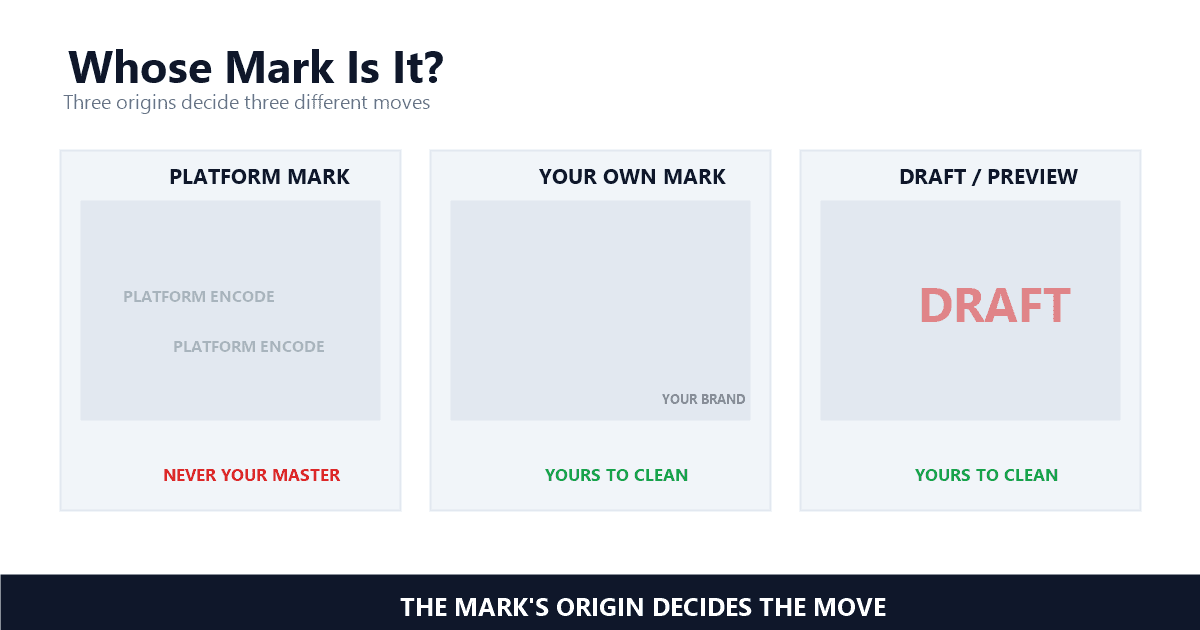
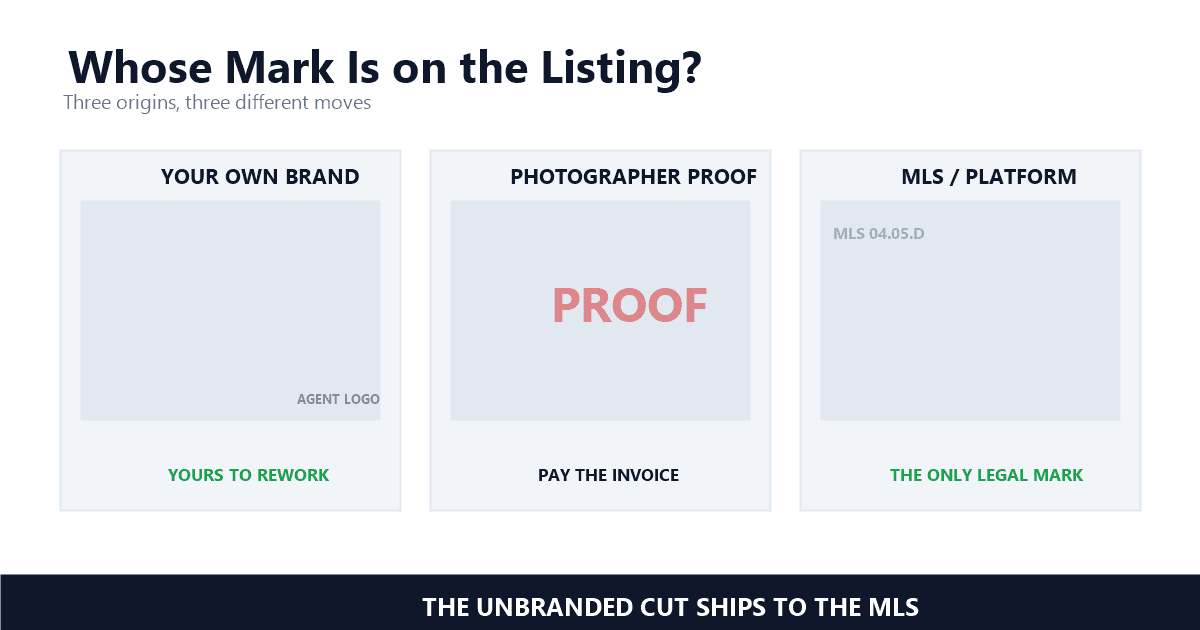
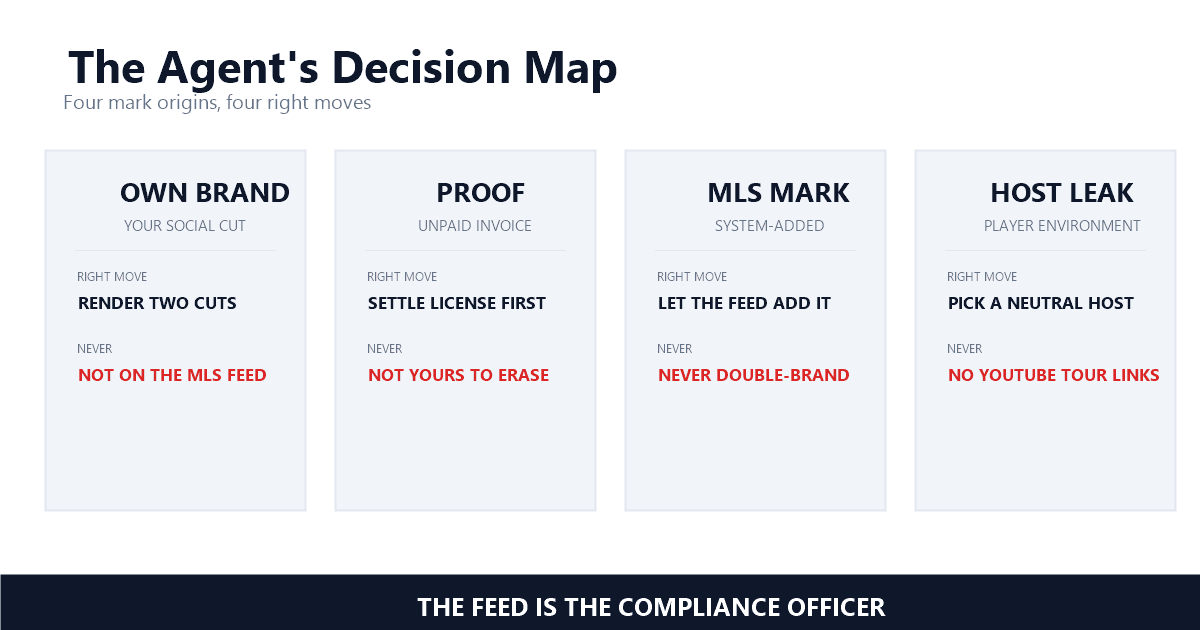
Listing video collects marks from four directions: your own branding for social reach, a photographer's proof stamp, an editing app's export badge, and the MLS's own compliance watermark. Each carries different rights and a different destination, which is why identification comes before any pixel gets touched.
Your own branding is the one you added on purpose, and in this vertical it is the one that causes the most trouble. Agents burn logos and phone numbers into footage because social video converts — then the same file rides a syndication feed into a context where that overlay violates the rules. The mark that wins you leads on one channel gets your listing flagged on another.
The proof stamp is the photographer's version of the same idea. Shoot a listing, deliver a watermarked preview, and the mark comes off when the invoice clears — the preview is unlicensed by design. Editing apps add their own export badges on free tiers, which the ecommerce piece covers from the product-video side. And one MLS literally adds its own mark: Stellar's rules carve out an exception for "the Stellar MLS watermark" on listing media, meaning the only watermark allowed in that system is the MLS's. Searches for a realtor video watermark usually trace back to one of these four — and the listing video watermark that causes the most damage is the one the agent asked for.
The platforms' own rules decide more than any tool does. Zillow prohibits marketing overlays on listing photos and video walkthroughs, most MLS feeds require fully unbranded media, and the exceptions are narrow and regional. The branded cut you built for social is often noncompliant the moment it syndicates.
Zillow's Listings Quality Policy says it directly: "You may not include marketing information, including, without limitation, an Agent's name, company name, logo, phone number and/or email address on listing photos or in video walkthroughs, whether as text, a watermark, or otherwise" — Zillow, Listings Quality Policy, updated September 2024. Not photos alone — video walkthroughs are named explicitly, and "otherwise" closes the loophole you were about to suggest.
Zillow's premium listing product adds a nuance worth knowing. Its guide permits personal presence on camera: the videos "may include personal branding, such as introducing yourself in the video, but cannot include persistent agent or brokerage logos, watermarks or advertising" — Zillow, Getting Started Guide. You in the video: fine. Your logo burned into every frame: flagged and potentially removed. One Showcase video per listing, maximum 120 seconds, uploaded through the media provider.
The MLS side is stricter and varies by region. Hawaii Information Service's rules state that "Inclusion of marketing or promotional messages or contact information including phone numbers, email addresses, and web site addresses for any participant or associate subscriber, seller, owner, or other entity is expressly prohibited" — Hawaii Information Service MLS, Virtual Tour Rules and Regulations. Stellar MLS phrases it as a ban on "direct or indirect branding for an agent, brokerage or team" outside its own watermark. Metro MLS, by contrast, allows virtual tours branded with the listing company name and logo. Same industry, opposite answers — which is why the only safe default is the unbranded cut, and the compliance officer in your feed is the one who knows your local answer. Compliance is the keyword nobody types into a search box: the unbranded video that MLS feeds want, and the Zillow listing rules that bind the branded one, decide the outcome before any tool opens.
One more trap hides in hosting, not pixels. Several MLSs ban YouTube links as virtual tour hosts because the player surfaces suggested videos and account details, and even file hosts fail if the account name shows. The brand exposure the rules target is not only burned into frames; it leaks through the page around the player. That is platform branding by environment, and no removal tool can fix it — only hosting choice can.
One test covers every case: do you hold the authority of the copyright owner over that footage and that mark? Cleaning your old brokerage logo from your own master is ordinary post-production; stripping a photographer's proof mark without a license is the last step of a payment dispute, not an edit.
The statute behind that test is the same one across this series. Section 1202(b), on the books since 1998, provides that "No person shall, without the authority of the copyright owner or the law—(1) intentionally remove or alter any copyright management information" — Legal Information Institute, 17 U.S. Code § 1202. Copyright management information is the ownership data a mark carries; strip it without authority and the act itself carries statutory exposure, separate from any infringement claim. The DMCA §1202 explainer unpacks the mechanics.
For agents the divider is unusually clean. Footage you or your media provider shot under a paid agreement, wearing your old brand or an app's stamp: the authority is yours, clean it. A competitor's listing video with their mark scraped off so it can market your services: that is the piracy playbook with a business card. Clip tools and generators add the contractual wrinkle — clean output may be gated to paid tiers, the edge the AI video legality guide documents — and in my experience the provenance check settles every edge case in 10 seconds: name the session where the clean pixels existed.
A watermarked preview is an invoice wearing pixels. The mark exists because the file is not licensed yet, so the fix lives in the delivery contract, not in a removal tool. Get the clean master and written usage rights at the same time, and the watermark question never becomes a cleanup job.
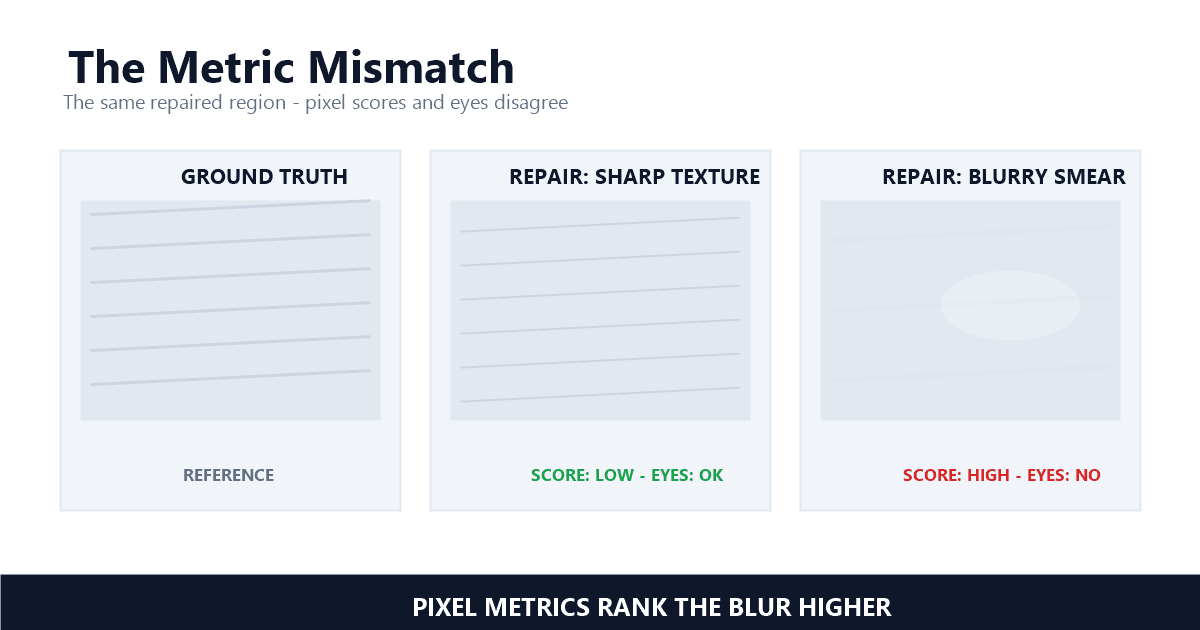
The scenario runs the same everywhere: the preview arrives watermarked, the listing needs the video today, and a tool that promises to remove watermark from listing video files is one search away. Resist it twice over. Legally, removing the mark before paying is stripping rights information from an unlicensed file — the exact move §1202 reaches. Practically, the watermarked preview is not the deliverable anyway; it is a compressed proxy for a master you have not seen, and the quality ceiling of everything you ship was set by a file you do not have. The quality metrics piece explains why that ceiling never rises again, no matter what the removal pass does. Treat a photographer watermark as a status light: it tells you which rights are still unsettled.
The durable fix is contract language, and it costs nothing: clean masters delivered at shoot resolution, usage rights in writing covering MLS syndication and portals, and a delivery window stated in business days so the listing timeline survives. Photographers who work with agents know these rules — several MLSs fine for missing or noncompliant media, and Metro MLS's public schedule runs from 10 dollars for small violations to 500 dollars for false information, with per-day escalation for late listing and advertising issues. A provider who has never heard of an unbranded deliverable is telling you something.
The compliant workflow renders both versions from one edit: an unbranded master for MLS feeds and portals, and a branded cut for social channels you control. Branding is a layer you switch on, never a mark you burn in and later scrub. One render tree, two files, zero removal passes.
Order of operations is the whole trick. Keep the master clean through the entire edit — color, cuts, captions — and add branding as a final layer that exists in the export, not in the footage. Two exports per project: the unbranded file goes to the MLS and syndication, the branded one goes to Instagram, YouTube, and your site. If a vertical cut is part of the plan, render it from the same clean tree too, because a 9:16 reframe that crops a burned-in logo leaves a partial mark floating in the middle of the frame — worse than either honest version.
When a branded file is all you have — inherited from a former brokerage, shot by a vendor who vanished — removal on footage you control is legitimate, and it behaves like any other static overlay: the mask-size economics decide the repair area, and the batch workflow keeps a portfolio of old listings consistent instead of turning 20 exports into 20 separate experiments. In my testing, a corner logo on stable interior footage falls in one pass; the failures come from marks that sit over motion — window blinds, foliage, pool water — where the flicker piece tells you what to check before shipping.
Five checks before an upload: a zoom pass along the frame edges, a scan for yard signs and flyers inside pans, a listen to the voiceover, a hosting check on the tour link, and the standard slow-motion sweep of any repaired patch. The physical world sneaks marks into shots that software never would.
The yard-sign scan is the one unique to this vertical. MLS rules prohibit images of for-sale signs outright — HIMLS states that "Images of 'for-sale' signs and pictures of persons are expressly prohibited" — so a beautiful exterior pan that sweeps across your brokerage's sign in the yard is a violation with your logo standing at full resolution in the middle of it. Reframe the pan, crop the exposure, or shoot the angle again; a sign inside the frame is a branding problem no tool should silently fix, because the fix is a content decision.
The voiceover listen matters as much. The same MLS rules reach audio — "marketing or promotional messages" includes a narrator who says "call Jane at the number below." If the unbranded cut is supposed to be unbranded, the audio track needs the same scrub the frames got. Then the hosting check: the tour link itself must not leak identity, which is why YouTube fails the audit regardless of how clean your file is. Close with the standard visual sweep — zoom to 200% on repaired patches, 3 seconds of quarter-speed playback, a check of the first and last 5 minutes — the same audits I run before any removal job ships.
Never strip a proof mark you have not paid for, never let a branded cut ride an MLS syndication feed, and never trust a third-party blog over the platform's own policy page. The first creates statutory exposure, the second risks fines and rejected listings, and the third is how bad advice circulates.
That third one is not hypothetical. While researching this piece I found a well-ranking requirements guide claiming Zillow "allows branded content, including agent logos and contact information" in listing video — directly opposite to Zillow's own Listings Quality Policy, which names video walkthroughs and ends with "or otherwise." The product page draws the same line. The guide was probably written from a half-remembered rule and never checked; agents who follow it find out from a compliance email. Platform policy pages, read verbatim, are the only sources that matter here — the same lesson the ad-platform compliance piece teaches for Meta and Google Ads.
The quieter mistake is treating the branded export as your master. It is a derivative: the ceiling was set at render time, the next platform's encode compounds the loss, and every future re-edit inherits both. When the unbranded master is genuinely gone and only the marked file survives — a former brokerage's archive, a vendor who closed shop — cleaning the file you control is exactly what UnMark is for. But in a well-run listing pipeline that file should never exist, because the version without the mark was rendered first.
Last updated: September 2026
Mark Ma is the founder and lead engineer at UnMark, where he leads the development of AI-powered video watermark removal technology. With over a decade of experience in computer vision, deep learning, and video processing, he has built production systems that process millions of frames per month across TikTok, Instagram Reels, and Google Veo content. His technical work focuses on motion-compensated watermark detection, spatial-temporal inpainting, and quality-preserving reconstruction for short-form vertical video. Before UnMark, Mark shipped computer vision infrastructure at scale for content moderation and ad compliance platforms. He writes this blog to document the real engineering, testing, and regulatory reasoning behind UnMark's processing pipeline — every test result, frame analysis, and benchmark published here is reproduced from actual production data, not synthetic examples. His goal is to give creators, brands, and regulators a verifiable technical reference for AI video watermark removal in 2026.