Online Course Video Watermark Removal: What Course Creators Actually Need
Mark Ma
Last updated: September 2026
A podcaster emailed me last month with a question that keeps coming up in my inbox: she recorded a full season on Riverside, exported the video edits on the free plan, and now every episode wears a small Riverside animation across the top of the frame. She searched for podcast video watermark removal, found a wall of generic tool lists, and none of them mentioned the thing that actually saved her season — a setting Riverside documents openly, plus a clean source most people never think to download. The tools ranked for that search treat her problem as a pixel-repair job. It was mostly an export-settings job.
I build watermark removal tooling at UnMark, so I will not pretend pixels never need fixing — sometimes they do, and the full pipeline walkthrough covers that side. But podcast footage has a property most video does not: the recording platform already archived a clean copy, and the mark often lives only on the edited export. That changes the order of operations. This piece walks the podcast stack — recording platform, clip tools, audiogram makers — with the official terms quoted verbatim, the legitimate-cleanup test spelled out, and a workflow that keeps your season clean from the start.
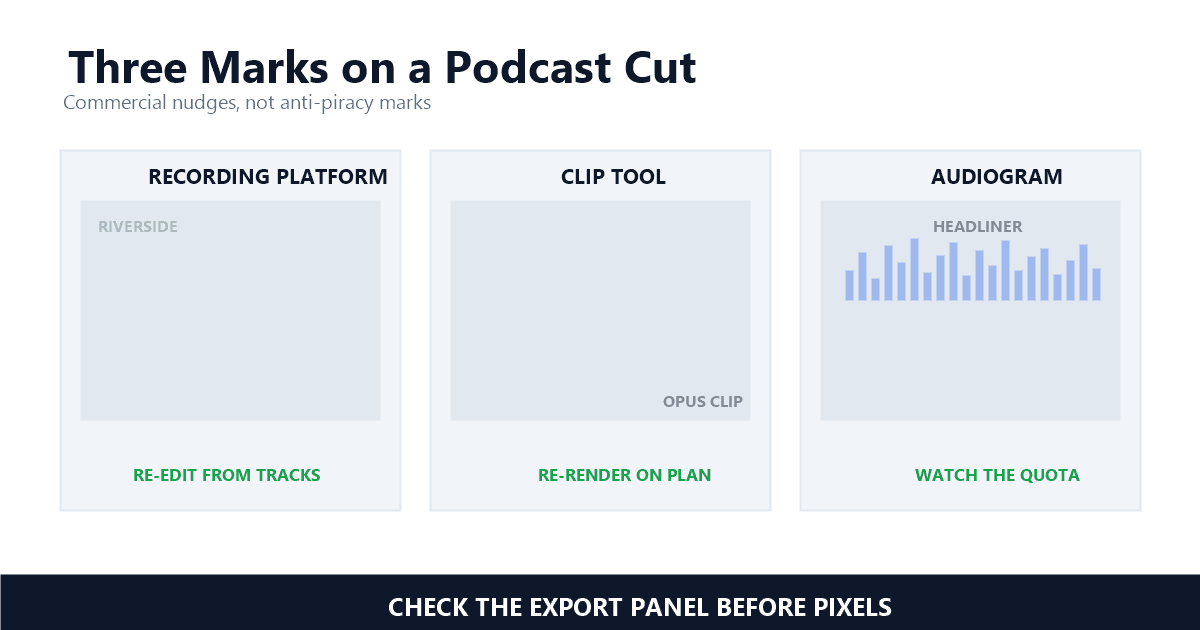
Three tools put most marks on podcast video: the recording platform's free-tier export stamp, an AI clip tool's free-plan watermark, and an audiogram maker's branded frame. Each is a commercial nudge toward a paid plan, not an anti-piracy measure, and each has a different official escape hatch.
The biggest one comes from the recording session itself. Riverside, the recording platform many video podcasts run on, applies its mark at export time on free accounts. Riverside's help center is blunt about the mechanism: "If you have a free Riverside account and export a video from the editor, a small watermark is added to the top of the frame" — Riverside, What is the 'Created with Riverside' watermark? The help center's glossary pins the position to the top left corner of the frame. That placement is not an accident: podcast video lives in vertical clips and full-frame YouTube uploads, and a top-corner mark clears the host's face and the caption zone.
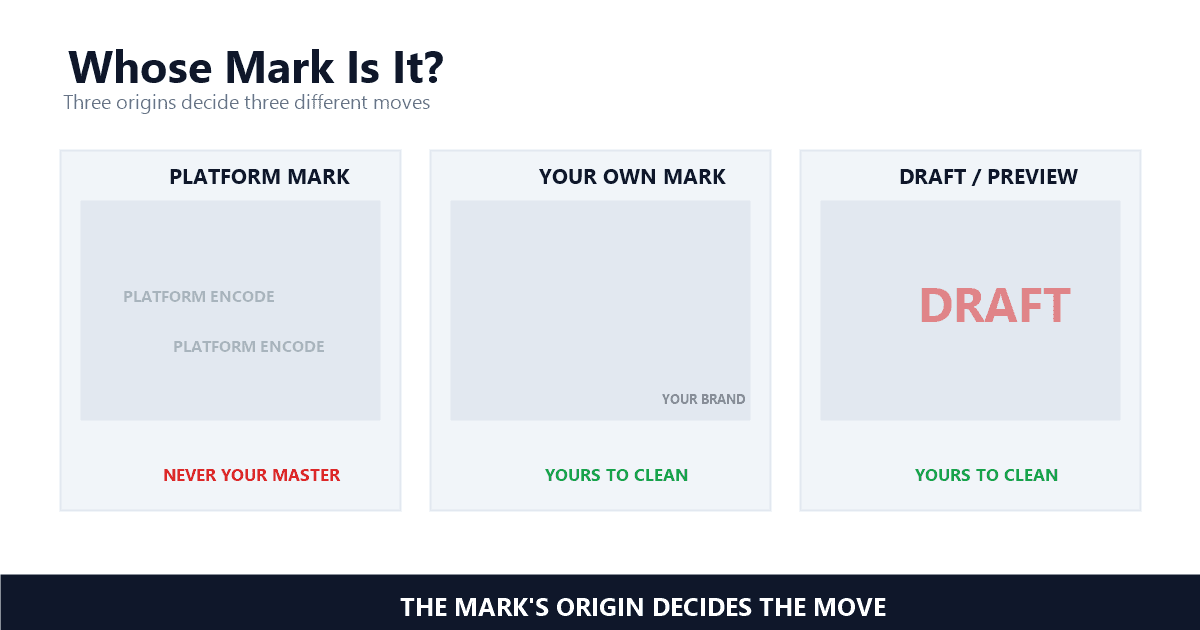
The second source is the repurposing stack. Clip tools and audiogram makers monetize their free tiers the same way — Opus Clip's pricing page lists "Has watermark" on the free plan, and Headliner's Forever Free plan offers unlimited watermarked audiograms. The third source is your own branding, which I defend: a show logo burned into the frame claims attribution when clips escape into the wild. Same visual class, three completely different rights situations, which is why identification comes before any removal pass.
Often yes — not by scrubbing pixels, but by using the two doors Riverside leaves open: the Remove watermark toggle for paid accounts, and the separate high-quality tracks, which never carry the mark in the first place. The pixels you want already exist on Riverside's servers.
The first door is an export setting. In the editor's Download panel, Riverside exposes a switch labeled exactly for this: "Toggle Remove watermark to remove the watermark from the exported file" — Riverside, Export and download an edit or clip. The catch is who can touch it: a companion help page states that "Users with a paid Riverside subscription can choose whether to include the watermark" — Riverside, Remove watermark from media in the Editor. On the free plan the toggle is not yours.
The second door is the one my emailing podcaster used, and it deserves the exact words: "Your separate, high-quality tracks do not include the watermark" — Riverside, What is the 'Created with Riverside' watermark? Riverside records every participant locally in full quality, separate from the editor's rendered output. Those multi-track downloads — up to 720p, 1080p, or 4K video at a default 24 fps — are the recording, not a derivative of it. A season exported with marks can be re-edited from clean tracks in any editor, no removal pass required, and the quality metrics math explains why that re-edit beats cleaning the marked export every time: zero extra encode generations.
One more export quirk bites podcasters who ship audio versions: the watermark is not only visual. Export audio only from a free account and Riverside adds a "Powered by Riverside" audio track at the beginning of the recording. Check your audio intro before you publish; the mark hides in sound, where a visual audit will never find it.
The Riverside watermark removal searches themselves deserve an honest word. Type remove riverside watermark into a search box and the results are mostly scraping utilities and third-party upsells, few of them mentioning either official door. And the advice sites disagree with each other: comparison pages spent much of 2026 describing a Riverside free plan that stamps every export, while Riverside's own blog announced in September 2026 that it no longer offers a free plan, substituting a 14-day free trial — and its pricing page still shows a Free tier with "Riverside watermark on all your things." Three sources, three different pictures. The help center's mechanism pages describe what actually happens at export time, and they are what I would trust when a season is on the line.
The same test governs every case in this series: do you hold the authority of the copyright owner over that footage and that mark? For a podcaster cleaning their own show, the answer is usually yes — the recording is yours, and the tool's trial stamp is a billing artifact, not an ownership claim.
United States law draws the line in statute. Section 1202(b), on the books since 1998, provides that "No person shall, without the authority of the copyright owner or the law—(1) intentionally remove or alter any copyright management information" — Legal Information Institute, 17 U.S. Code § 1202. Copyright management information is the ownership data a mark carries. Strip a mark without authority and the act itself carries statutory exposure, separate from any infringement claim. The DMCA §1202 explainer walks through what that looks like in practice.
For podcasters the divider sits between two scenarios. Cleaning the Riverside mark off your own interview footage: you shot it, you own it, the authority is yours. Re-uploading someone else's episode with their mark scraped off so it looks like your content: that is the piracy playbook, and no tool framing changes it. Clip tools add one more wrinkle — their terms can restrict watermark-free output to paid tiers, which makes the question contractual before it is technical, the same edge the AI video legality guide documents for generated footage. In my experience the provenance check settles it in 10 seconds: name the session where clean pixels existed. If the answer is "my studio, last Tuesday," the authority is yours.
Opus Clip and Headliner are honest about it in their own way: the free tier is a sampling program, and the watermark is the price of sampling. That design has two consequences for your podcast clips — a billboard you did not choose, and a clock you may not have noticed.
The clock first. Opus Clip's pricing page puts "Has watermark" on the free plan next to a harder constraint: "After 3 days, the clips will no longer be exportable" — OpusClip, Choose a plan. Render a batch of podcast clips on the free plan and you have manufactured assets that expire — the opus clip watermark is a timer and a billboard at once, and the export door closes behind them. Headliner runs the same play on a quota: its Forever Free plan lists 1 unwatermarked audiogram per month and "Unlimited watermarked audiograms" — Headliner, Pricing. The audiogram watermark lifts at 10 per month on the Basic plan and disappears on Pro, which also sells custom watermarks for shows that want their own.
Opus Clip's own FAQ confirms that any paid plan, from Starter upward, removes the mark. So the engineering takeaway is that these are the easiest marks never to have: clip tools render fresh output from your source, so the plan you render on decides whether a mark exists at all. If marked clips are already sitting in your archive, cleaning them is legitimate — the underlying footage is your recording, and the mask-size economics apply exactly as to any other static stamp. Just remember the expiry clock: a clip that can no longer be exported is often cheaper to re-render on the right plan than to repair. The batch workflow is the route when a whole season's clips need the same pass, and the Runway export guide documents the same pattern for video generators.
Four checks, and two of them are specific to audio-first shows. A podcast export deserves a zoom to 200% on any repaired patch, 3 seconds of quarter-speed playback on anything that went through a removal pass, a listen to the first 10 seconds of every audio file, and a vertical-clip safety check before anything ships to shorts platforms.
The audio listen is the one nobody does, and it is where the quiet failures live. The "Powered by Riverside" track rides at the head of audio-only exports, and I have heard episodes that shipped for months with it intact — nobody audits sound for watermarks, because the whole mental model of a watermark is visual. Make the head-listen a reflex: 10 seconds of the intro, every file, every episode. The vertical check is the other podcast-specific trap: clips reframed to 9:16 push the frame's top edge into the crop, and a mark that sat politely in a corner of the 16:9 master can end up draped over a guest's forehead in the vertical cut. Check the clip, not just the master.
The zoom and the quarter-speed playback are the same audits I run before shipping any removal output — the flicker piece explains what naive rebuilds look like in motion, and why 3 seconds at reduced speed exposes them. In my testing, static and small marks fall in one pass; the failures I have shipped all came from skipping the audit, not from the removal itself.
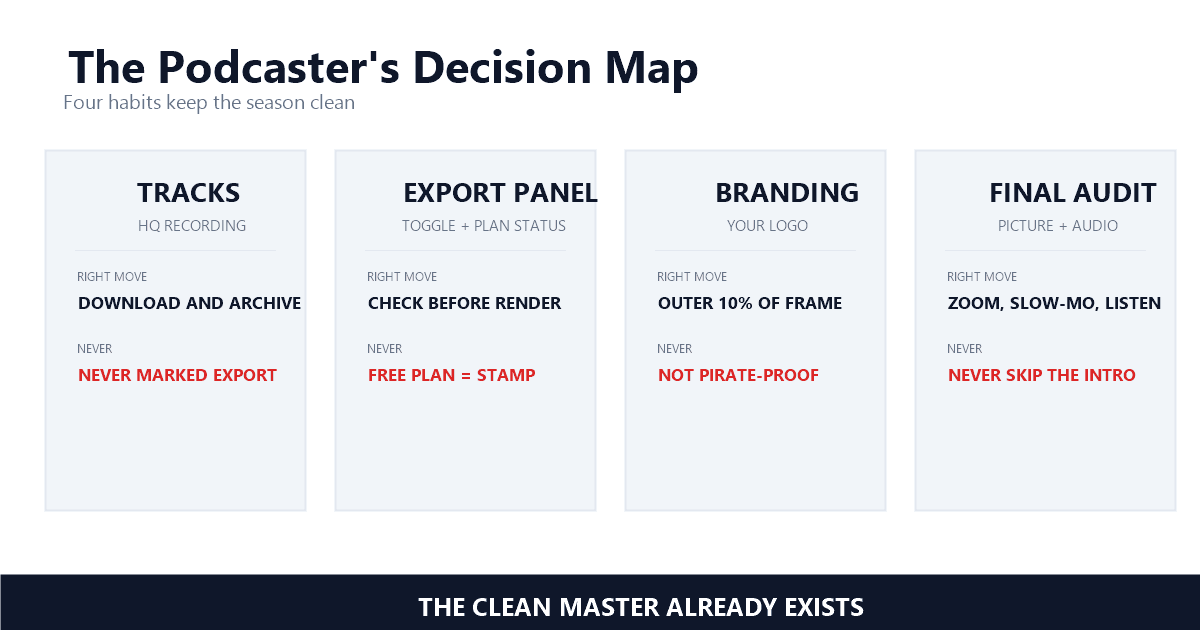
Three habits do most of the work: download the multi-track recording before anything else, check the export panel before opening any tool, and apply your own branding deliberately. Removal then stays a routine maintenance task instead of a season rescue.
The multi-track habit is the one that matters. Those separate high-quality tracks are your negative — the asset every later derivative comes from. Store them like masters, because everything else in the stack is a re-render of them, and a re-render is where marks and quality loss both creep in. When a derivative goes out marked, the fix is usually a better re-render, not pixel surgery.
Checking the export panel is the second habit, and it costs nothing. The Riverside toggle, the clip tool's plan status, the audiogram maker's quota — all of it is visible before you render, which is the cheapest moment in the entire pipeline to catch a mark. The third habit is deliberate branding: your own logo, semi-transparent, inside the outer 10 percent of the frame, kept clear of the caption zone where subtitles sit. The UGC workflow piece covers why attribution marks survive copies, and the education guide shows the same logic applied to course platforms. A show that owns its branding also has a cleaner legal story when copies escape — the mark is yours, the authority is yours, and enforcement stays simple.
Never strip marks from episodes you did not record, never treat a marked export as your master, and never let a clip tool's "free" plan manufacture a season of expiring assets. The first is infringement with statutory exposure, the second bakes a billing artifact into your archive, the third is a scheduling problem disguised as a savings.
Re-uploading another show's episode with its mark scraped off is the exact scenario §1202 was written for — the mark identifies the rights holder, and removing it without authority is the last laundering step before a stolen episode looks like standalone content. The quieter mistake is archiving marked exports as if they were masters: a marked file is a derivative, its quality ceiling was set at render time, and treating it as source material compounds the loss every time you re-edit. Name your multi-tracks, keep them, and treat every editor export — marked or not — as disposable. When a marked export does slip through and the clean source is genuinely gone, that is what UnMark is for; in the podcast stack, though, the clean source almost always exists. Go get it before you go scrub pixels.
Last updated: September 2026
Mark Ma is the founder and lead engineer at UnMark, where he leads the development of AI-powered video watermark removal technology. With over a decade of experience in computer vision, deep learning, and video processing, he has built production systems that process millions of frames per month across TikTok, Instagram Reels, and Google Veo content. His technical work focuses on motion-compensated watermark detection, spatial-temporal inpainting, and quality-preserving reconstruction for short-form vertical video. Before UnMark, Mark shipped computer vision infrastructure at scale for content moderation and ad compliance platforms. He writes this blog to document the real engineering, testing, and regulatory reasoning behind UnMark's processing pipeline — every test result, frame analysis, and benchmark published here is reproduced from actual production data, not synthetic examples. His goal is to give creators, brands, and regulators a verifiable technical reference for AI video watermark removal in 2026.