Online Course Video Watermark Removal: What Course Creators Actually Need
Last updated: September 2026
Last week a course creator asked me a question that sounded simple and turned out to be the whole problem in miniature: can she pull her own lecture videos back out of Udemy now that she is leaving the platform? She had already searched for online course video watermark removal, and the results were a wall of downloader tools aimed at students, not at her. Nothing on that first page answered her actual question, because her actual question is the one the search results keep getting wrong.
I build watermark removal tooling at UnMark, and educators are a steady part of the traffic I see. Here is the inversion almost nobody spells out: most removal demand among course creators involves marks they placed themselves or marks their own tools left behind, while most removal supply on the internet is built for stripping other people's paid courses. The phrase "remove watermark from course video" means opposite things to those two audiences, and only one of them should ever act on it.
So this piece stays on the business side: whose mark it is, what the platforms officially promise, where removal is legitimate, and the workflow that keeps you out of both pirate tools and pirate liability. The pixel-level engineering lives separately in the full pipeline walkthrough.
Why Does Your Online Course Video Have a Watermark at All?
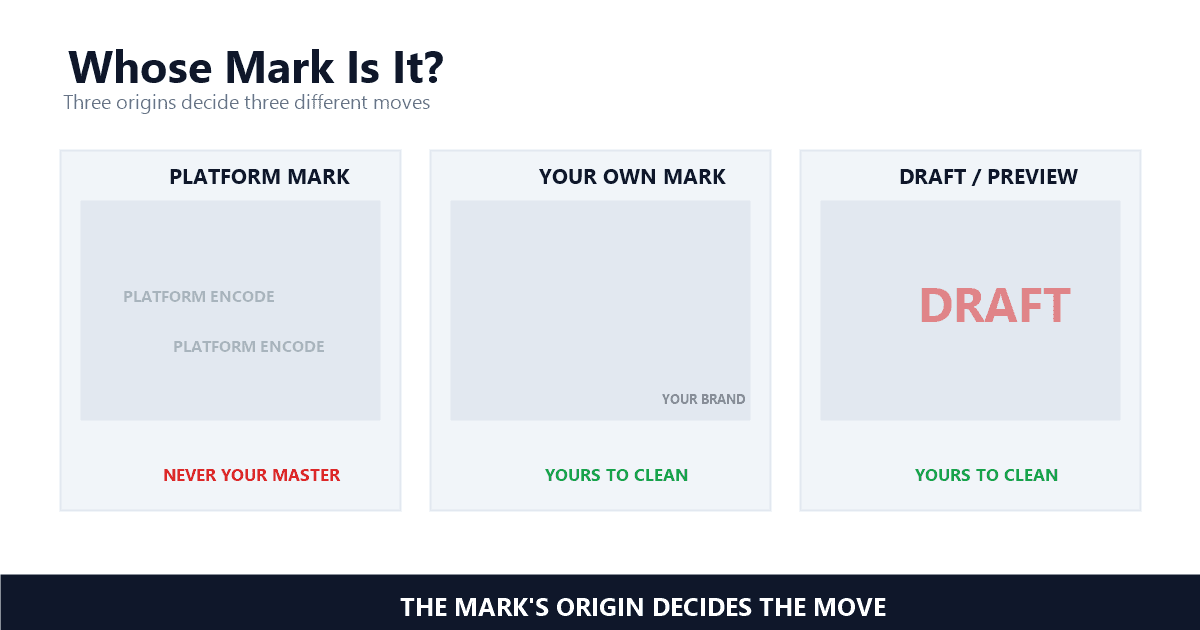
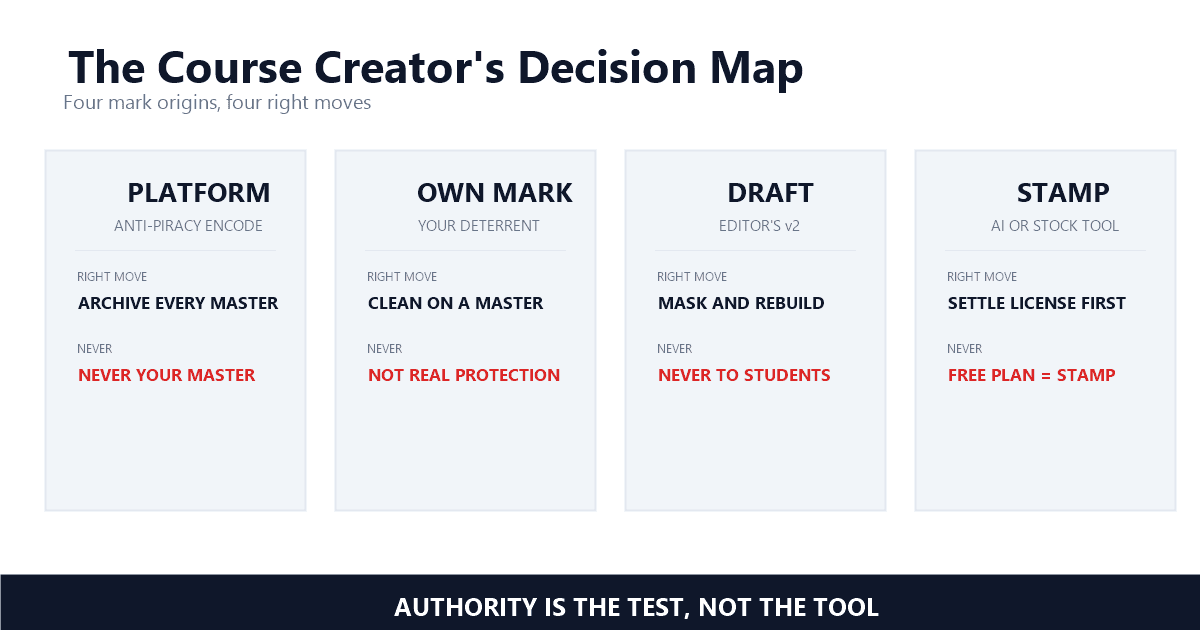
Course footage collects marks from four directions: the platform's own anti-piracy encoding, your deliberate theft deterrent, an editor's draft overlay, or a preview stamp from stock and AI tools. Each origin carries different rights, and each needs a different decision before any pixels get touched.
The heaviest mark is the one students never choose. Upload a lecture to Udemy and the platform re-encodes it behind its own player. Udemy describes this openly: "Udemy employs anti-piracy technology, including encoding videos using a proprietary player and attaching a Udemy watermark to all videos" — Udemy, Instructors: How Does Udemy Protect Your Content? Note the scope. All videos means yours too. The mark exists to make mass redistribution traceable and to make re-downloading pointless, and it gets baked in at processing time — a 15-minute lecture can sit in that queue a while before it ever plays.
The second mark is yours on purpose, and it is the one I would defend. Instructors brand their lessons to claim attribution when copies escape, to give takedown requests visible evidence, and to make casual resharing awkward. Marketplaces impose their own protection; standalone platforms leave that job to you, which we will get to shortly.
Then come the accidental ones. An editor sends v3 with DRAFT stretched across the middle. A stock clip that was licensed an hour ago still wears its comp overlay. A generated B-roll export carries the generator's stamp. A lesson recorded with a branded screen recorder ships with that recorder's badge in the corner — the Loom branding guide covers that family in depth. Same visual class, completely different rights. That is why the first move is always identification, never removal.
When Is Online Course Video Watermark Removal Legitimate?
One test covers every case: do you hold the authority of the copyright owner over that footage and that mark? If yes, cleaning your own rebrand, an editor draft, or an export stamp is ordinary post-production. If no, removal is the last step of piracy, not a step of editing.
United States law draws the line almost verbatim. Section 1202(b) of the Copyright Act provides that "No person shall, without the authority of the copyright owner or the law—(1) intentionally remove or alter any copyright management information" — Legal Information Institute, 17 U.S. Code § 1202. Copyright management information is the legal term for the ownership data a mark carries: the name, the title, the identifying terms that tie pixels to a rights holder. Remove a mark without authority and you have not just edited a video; you have tampered with its ownership record under a statute that carries its own remedies.
For course creators that sentence reads like a divider. Your old logo on your own master: you are the copyright owner, the authority is yours, strip away. A competitor's module with the mark scraped off: the opposite side of the same sentence, and the DMCA §1202 explainer walks through what that exposure looks like. Generated clips sit in between, because the generator's terms can restrict clean output on free plans — the AI video legality guide covers that edge before any tool gets opened.
In my experience the fastest filter is provenance. Provenance is the record of which session produced clean pixels, and the whole check takes 10 seconds: if you cannot name the recording session, you probably do not hold the authority either. Tools never ask that question; I would put it before every export button.
Can Instructors Get Original Videos Back From Udemy?
No — and Udemy says so in its own help docs. Downloads are encoded and watermarked, so the platform officially tells instructors to keep copies of course videos on their own computers. If the originals are gone, the watermarked export is a reference copy, not a master.
This is the question my emailing instructor actually had, and the official answer deserves its exact words: "We ask that instructors keep copies of their course videos and files on their own computers and devices to ensure instructors have access to their original course material" — Udemy, Instructors: Download Your Course Lecture Videos. The same page explains why: course videos cannot be downloaded in their original format because of the anti-piracy encoding. The Download Lecture button, where it is available at all, hands you an encoded, re-compressed, watermarked file.
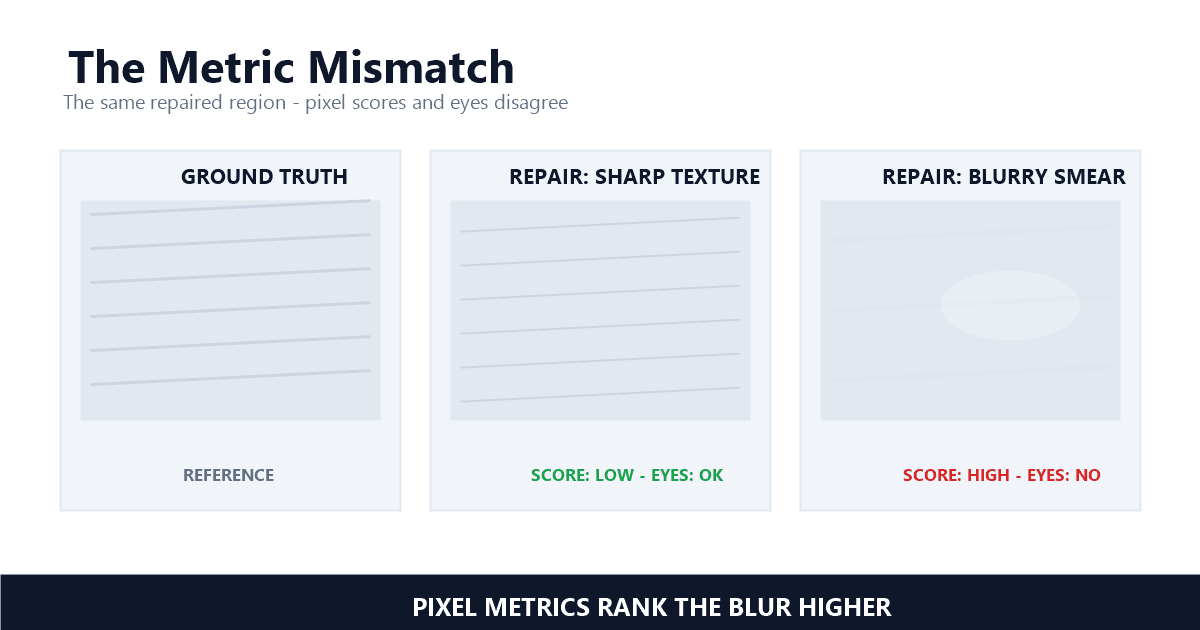
Think about what that file has been through. Your 1080p master gets platform-encoded on upload, compressed again for download, processed again if you strip the mark, then encoded once more by the next platform — three to four generations of encoder math between the footage you shot and the footage a student sees, each one compounding softness the way I describe in the quality metrics piece. No removal tool reverses any of it. The pixels lost at the first encode are gone regardless of what happens to the mark.
There is also an honest word to say about the "remove udemy watermark" searches themselves. The tools ranking for that phrase are overwhelmingly built for students scraping paid courses — the marketing frames it as offline study, but stripping a platform's mark from a course you did not shoot is the piracy playbook with extra steps. For instructors the fix is boring and final: the archive is the recovery plan, and an external drive plus 20 minutes of copying is the whole setup. Nothing recovers clean pixels from a platform encode.
Should You Watermark Course Videos Before Uploading to Thinkific or Teachable?
Yes, and do it before upload — your platform will not do it for you. Thinkific states plainly that watermarking has to happen outside the platform. A visible brand mark plus per-student personalized overlays gives attribution and deterrence, plus a paper trail when copies leak.
Thinkific's help center puts the division of labor in one sentence: "we do not have the ability to add watermarks to uploaded videos within Thinkific. If you would like to add a watermark, you can do so outside of Thinkific (such as in video editing software) then upload your watermarked video" — Thinkific, Can I add watermarks to my uploaded videos? That is the model difference in a nutshell. Marketplaces encode protection into their pipelines; standalone platforms hand you the keys and the responsibility together, so a Thinkific watermark has to be baked in before upload or it does not exist. Protecting online course videos is the creator's job there, not the host's.
Place it like an engineer, not a decorator. Corners are conventional, but a corner mark is also the cheapest object on earth for modern inpainting to delete — the same mask-size economics that govern legitimate repair apply to a pirate's one-pass strip. A deterrent targets the casual resharer, and that is worth having; just do not confuse it with protection. Keep it semi-transparent — around 40 to 50 percent opacity — keep it inside the outer 10 percent of the frame and clear of caption zones where subtitles sit, and expect it to survive laziness rather than intent.
Dynamic watermarking is the per-viewer upgrade: the platform overlays each enrolled student's email or ID on playback, so a leaked copy identifies the enrollment it escaped from. Static branding claims the work; the dynamic layer names the leaker. Course communities and anti-piracy vendors describe the same leak pattern over and over — a purchase, a refund, a re-upload — and a personalized overlay is what turns that story from a complaint into evidence. Piracy is the redistribution of paid material beyond the license a purchase grants, and that overlay matters because takedowns arrive only after the copies are already out. The UGC approval workflow uses the same attribution logic for brand deals, for the same reason.
Which Watermarks Can You Clean From Footage You Already Own?
Four situations cover almost everything: an old logo on a rebranded course, an editor's draft overlay after approval, an export stamp on AI-generated clips, plus recorder branding on screen-captured lessons. All four involve footage you control, and all four respond well to a mask-and-rebuild pass.
Rebrands are the classic. Your studio refreshed its identity, your old corner mark carries a retired URL, or the course moved under a new label — cleaning your own mark from your own master is safe, routine, and the entire legitimate core of online course video watermark removal. The catch is the same one Udemy's docs warn about: it works on a master. If the only surviving copy is a watermarked export, the ceiling on the result was set the day the original was lost.
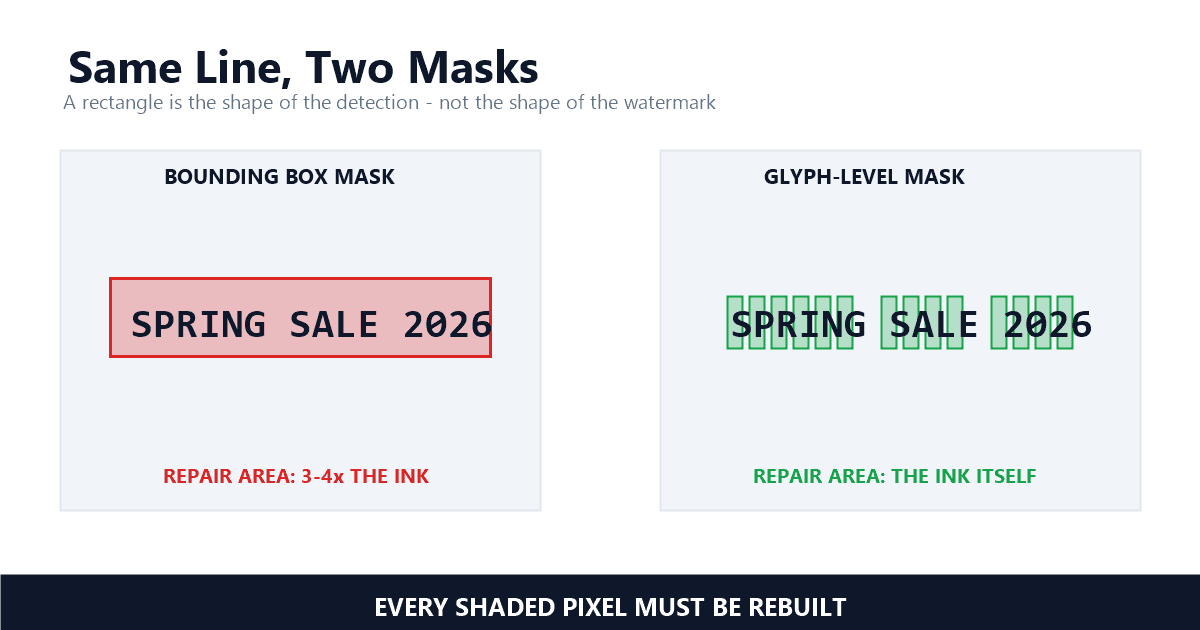
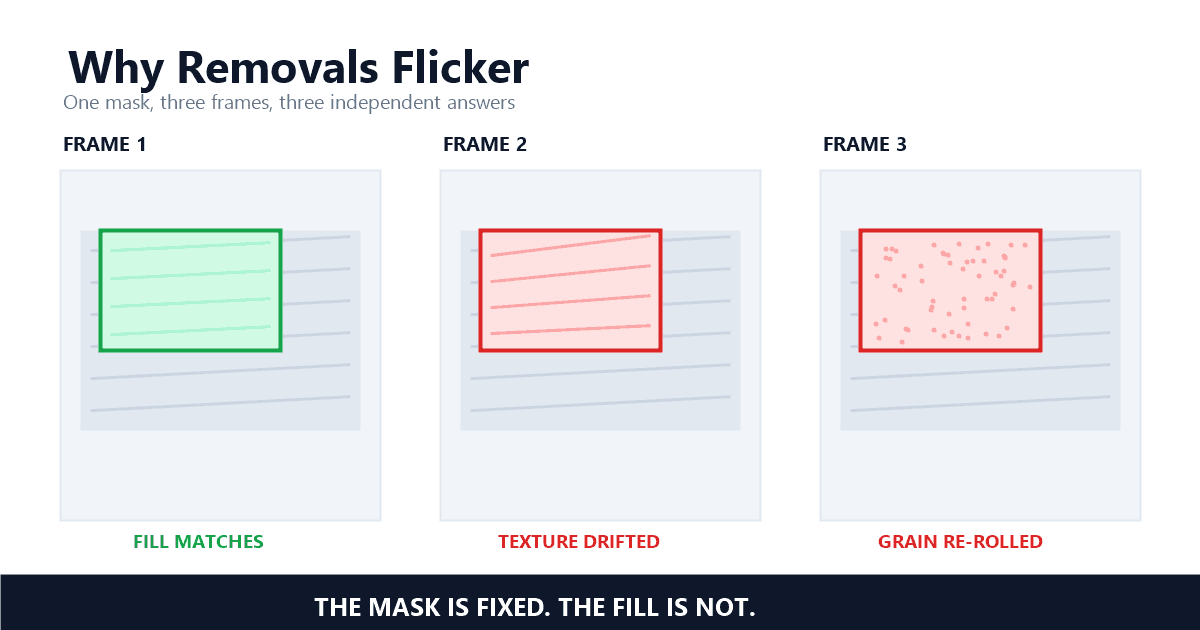
Editor drafts are the fixable version of a painful story. A freelancer delivers v2 with a draft overlay, you approve it, and then the clean final never arrives — or the editor has vanished. Removal on an approved draft you paid for is legitimate, but expect it to be harder than a corner logo: draft overlays tend to be big, centered, and semi-transparent, which means more repair area and a higher chance of temporal flicker if the rebuild is done naively. Detection precision matters here too — a mask set 2 pixels off the true edge is the difference between an invisible repair and a visible halo. The 30-second mask check and the 60-second flicker test are the two audits I would run before any re-upload, and for a retrofit across 20 modules the batch workflow keeps 20 videos consistent instead of 20 separate experiments.
Export stamps and recorder badges round out the list. Generated B-roll wearing its generator's mark is removable once the license side is settled — several generators tie watermark-free output to paid tiers, which makes the question contractual before it is technical, as the Runway export guide documents in detail. Screen-captured lessons carrying a recorder's branding behave like any other static badge. In my testing, static and small falls in one pass; multiple or moving marks are where detection quality actually shows.
What Should You Never Do With a Watermarked Course Video?
Never strip marks from a course you did not shoot, never treat a downloaded platform file as your master, and never let a tool talk you into "personal use" framing for a paid course scrape. The first is copyright infringement with statutory exposure, the second degrades quality, the third is still piracy.
Course piracy follows a script: buy the course on a disposable account, pull the files, request the refund, upload to the "free course" sites, repeat. Removing the platform's mark is the final laundering step that makes a stolen module look like stand-alone content. Beyond the obvious infringement claim, that step independently violates §1202 — a statute that has been on the books since 1998 — once intent enters the picture, and takedown targets multiply from there. None of the tools in that chain will mention any of this — which is why the identification question belongs before the removal button.
The quieter mistake is treating a platform download as a master. It is not only the mark — it is the encode chain, the re-compression, the missing original bitrate. The chain alone puts 3 generations of encoder math between that file and the footage you delivered, and the PSNR and SSIM gaps that creates will show up exactly where viewers look: textures, edges, motion. And if the goal is migrating your course to a new platform — a completely legitimate goal — that is precisely why the archive matters. Migration deserves your originals, not a laundered copy.
What Does a Piracy-Resistant Course Video Workflow Look Like?
Four habits do most of the work: archive every master before anything ships, apply your own brand mark before upload, run drafts through approval, and audit exports for tool stamps. Removal then stays a maintenance task instead of an emergency.
The archive habit decides everything downstream. Udemy's own guidance to keep copies on your own computers is the marketplace version of it; the standalone-platform version is backing up every master before the upload even starts — the cheapest way to protect online course videos you still plan to sell for years. In my testing across the pipelines I have shipped, for a 45-minute module the difference between a rebrand that takes an afternoon and a reshoot that takes a week is almost always whether the masters still exist. Name the files, keep a 1080p master plus a 720p safety copy, and treat the platform copy as a derivative — because that is what it is.
Branding before upload is the second habit, and approval before final delivery is the third: no draft overlay should ever reach a paying student, and no clean master should ever leave your control before an approval is recorded. The fourth habit is the audit — a zoom to 200% on the repaired patch, 3 seconds of quarter-speed playback on anything that went through a removal pass, and a spot check of the first and last 5 minutes of the file, the same checks I rely on before shipping any export.
That is the whole game. Know whose mark it is, keep the pixels that were yours before anyone encoded them, and spend removal effort only where the authority is yours. When a legitimate case does land — the rebrand, the vanished editor, the stamped B-roll — that is what UnMark is for; the identification question comes first, and the repair runs second.
References
- Udemy — "Instructors: How does Udemy protect your content?" (Udemy Help Center, accessed September 18, 2026)
- Udemy — "Instructors: Download Your Course Lecture Videos" (Udemy Help Center, accessed September 18, 2026)
- Thinkific — "Can I add watermarks to my uploaded videos?" (Thinkific Help Center, accessed September 18, 2026)
- 17 U.S. Code § 1202 — Integrity of copyright management information (Legal Information Institute, Cornell Law School, accessed September 18, 2026)
Last updated: September 2026