COPIED Act vs Watermark Removal: What's Actually Illegal (2026)
Mark Ma
Last updated: October 2026
Search results for filmora watermark removal are a rarity in this series: the front page belongs entirely to Wondershare. Three Filmora guide pages, the official support center, and the company's tool site hold all five top slots, and they agree on an answer most third-party tutorials never mention — the trial watermark is embedded into pixel data at export, and Wondershare's own support pages call it permanent. No license purchase strips it from a finished file. The only official path runs through the original project.
My day job is building UnMark, a watermark removal product, and Filmora is the case we point people to when they ask why some marks cannot be cleaned at any price. Wondershare defines its own mark as irreversible by construction — the vendor selling the clean export is the same vendor telling you the watermarked file is already final. That admission makes the official pages the whole story, and we read all of them.
The short version: the mark is a license flag set at render time. Fix it before it exists — export from an activated license with the original .wfp project, redeem the new-user free export, or borrow a friend's referral license for three days. After export, nothing official exists. Everything else in the rankings elaborates those paths.
Yes — every export from an unactivated trial carries it. Wondershare's support center states the rule and its permanence in one breath: trial exports include a watermark that cannot be removed, and the only route out is a paid license re-export. The mark reads "Created with Filmora" over the footage for the full duration.
The exact language from the official Help Center, accessed October 2026: "Videos created with the trial version of Filmora will include a watermark, which cannot be removed. To output videos without watermarks, you'll need to purchase the paid version of Filmora" — Wondershare Support, How to output videos created with the trial version without watermarks. Note the construction: the sentence does not say the watermark is hard to remove, or removable with tools. It says cannot be removed, full stop — an unusually absolute claim from a vendor, and one the same support center justifies technically elsewhere.
What makes Filmora different from the generation platforms we cover — Kling, Pika, Luma — is that those platforms price the clean export per generation, so the fix is regenerating under a paid plan. Filmora is an editor: the watermarked render and the clean render come from the same project, and the difference is only whether a license was active at export time. That distinction produces the two-file model the whole official answer rests on.
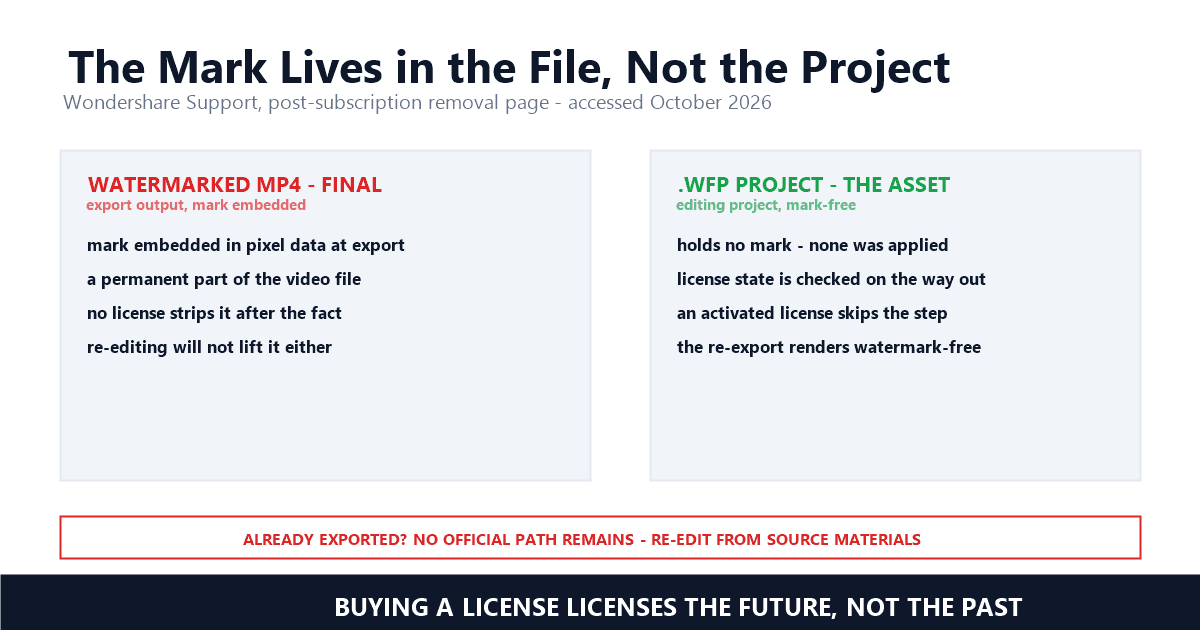
It is a license signal baked into pixels at render time — and by Wondershare's own definition, a permanent one. The support center's dedicated article explains that the embed happens during export, which is why nothing downstream can separate it again. The company says this outright rather than leaving it to inference.
The core sentence, verbatim from Wondershare Support, accessed October 2026: "Videos with watermarks exported from the free version of Filmora have their watermarks embedded into the video's pixel data during the export process, becoming a permanent part of the video file. This embedding method means that already exported videos with watermarks cannot have their watermarks directly removed by 're-importing' or using in-software features —even if you purchase a license later, you cannot strip the watermark from such finished files" — Wondershare Support, the post-subscription removal page. Purchasing licenses the future, not the past — the clean export is a product Wondershare sells forward, and the already-rendered file is outside that transaction.
That framing matters for what follows. The same article concedes the loss explicitly rather than pretending a fix exists, and it draws the operational conclusion: "Avoid using already exported files with watermarks as editing materials, as this will make it impossible to eliminate the existing watermark" — Wondershare Support. A vendor telling you its mark survives re-editing is defining the boundary of its own product — and, incidentally, confirming the technical reality that our Udemy coverage describes from the platform side: marks applied at render time do not come back out through editing.
Not through Filmora, and not by buying a license retroactively. The official answer is re-export from the original .wfp project — the project file holds no mark, and an activated license skips the watermark step on the way out. Wondershare's own guide rules out importing the finished file, with or without payment.
The official guide's TL;DR compresses the prerequisite, verbatim: "The core prerequisite for removal is opening the original .wfp project file; attempting to import and process an already exported watermarked video will not work" — Filmora, How to Remove the Filmora Watermark. The support article's three-step version matches: open Filmora under the purchased license, locate the .wfp saved during editing, export — "At this point, the activated license will automatically skip the watermark-adding step, and the generated video will be watermark-free" — Wondershare Support. The mark is never stripped because it is never applied; the clean render and the watermarked one are siblings, not versions.
Lost the project file? The support article's special case says re-edit from the original materials in activated Filmora and export again. What it rules out is recycling the watermarked file as source footage, per the quote above. As for third-party removers, Wondershare's guide names names: "unauthorized online tools like Apowersoft merely degrade the footage with blurry patches and carry severe malware risks" — Filmora, How to Remove the Filmora Watermark. That critique is self-interested but not wrong in kind — naive region blurring is exactly the failure mode our inpainting comparison measures, and quality-aware reconstruction is a different craft from a blur patch. Whether any cleanup of a license mark you have not paid to clear is yours to attempt is a separate question — our four-question guide sorts it.
Four, counting the free ones. Buy a license and re-export from the .wfp; redeem the new-user free export; earn a three-day referral license; or start from a qualifying free trial that authenticates your Wondershare ID. All four run through WSID authentication — none touches a finished file.
The two free channels are official and easy to miss. New registrants get one clean export: "For newly registered users, we have prepared a free opportunity to export without watermark... each user can only redeem once, and there is a time limit for use after redemption" — Wondershare Support, with the redemption page at filmora.wondershare.com/new-user-free-export-redeem.html. The referral channel grants "a 3-day license for one clean export when an invited friend registers, alongside points redeemable for up to 30 days of full access" — Filmora's removal guide. The official TL;DR frames the prerequisite for all of it: "To secure a watermark-free export in Filmora, you must authenticate your Wondershare ID (WSID) using either a qualifying free trial, referral program rewards, or a paid subscription" — Filmora's removal guide.
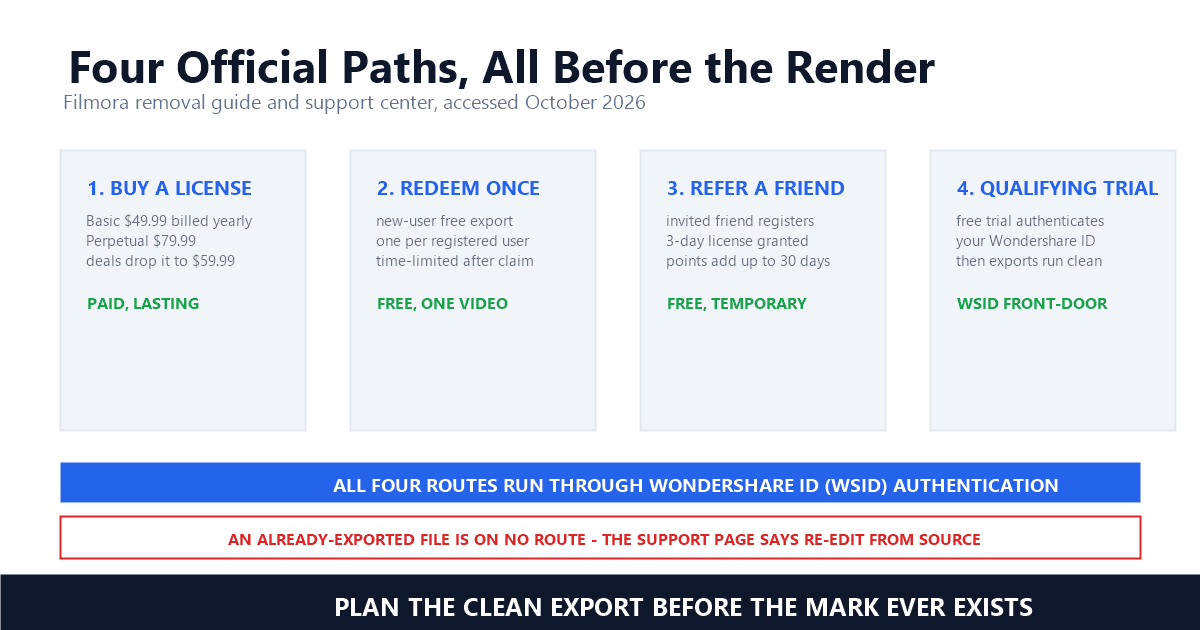
The workflow consequence is sequencing. Unlike Canva's per-element preview, which can be cleared after the fact by licensing the flagged asset and re-exporting, Filmora's clean export must be planned before the render — license first, then export, and the mark never enters the pixels. Teams with recurring volume should treat the .wfp file as the valuable artifact and keep it archived; the exported MP4 is a disposable proof copy. That habit costs nothing and dissolves the entire scenario the support article calls unsalvageable.
The clean-export tier starts around $49.99 a year. Wondershare's official shop lists the Basic plan at US$4.17 per month billed yearly as $49.99, with the Perpetual Plan — a one-time payment that keeps exporting clean forever — listed at $79.99 and frequently discounted to $59.99 during the company's seasonal events. Both tiers include mark-free output as a plan feature.
The plan pages state the watermark term as a row, not fine print. The Perpetual Plan's feature list on Wondershare's own promotion pages includes "Export without watermark" alongside 4K export and continuous version upgrades — Filmora, 2026 Black Friday Blitz, checked October 10, 2026 — and the store's Annual Plan page lists "$49.99/Year: No watermark on your exported videos" — Filmora Store, checked October 2026. Higher tiers add creative assets and AI capacity: the premium yearly bundle carries "2000/mo AI credits issued every 30 days from the purchase date" — Filmora, World Cup Deal page — and the removal guide's paid-tier summary mentions 10GB of cloud storage alongside 1000 monthly AI credits.
Two caveats from the same official pages. The shop's Basic plan bundles a Creative Assets trial that renews at US$19.99 a month after seven days unless cancelled — the kind of rider that turns a $49.99 decision into a $289 year if missed. And the Perpetual Plan's "$59.99, was $79.99" pricing rotates through Black Friday, Back to School, and seasonal blitz pages, checked October 10, 2026 — the discount is real but temporary. Against those numbers, the free channels matter: a one-off creator can redeem the new-user export or a referral license and ship a single clean video for $0, which is more than Runway or Hailuo's free tiers offer.
It does not, for once — the results are official, and that is the story. Five of five front-page slots belong to Wondershare properties, an inversion of the tool-vendor walls we documented for Grok Imagine and Seedance. What no ranking surfaces is the one fact that changes decisions: the mark is irreversible by design, and the official pages say so.
The official pages themselves bury the lede in sequence. The removal guide's title promises "4 Ways to Get Videos Without Watermark"; its TL;DR, checked October 10, 2026, delivers WSID prerequisites and referral math; the irreversibility sentence — "even if you purchase a license later, you cannot strip the watermark from such finished files" — lives on a separate support page that searchers rarely reach from the guide. Third-party tutorials ranked below the official wall repeat the upgrade advice without the permanence definition, and the ones selling remover services skip it entirely. The reading order we found works: support center first for the irreversibility ruling, guide second for the referral and redemption mechanics, shop last for pricing — the same official-first discipline we applied to Canva's license pages and Vidu's own remover.
The honest summary of the official position fits in three sentences, all sourced: the trial mark embeds at export and is permanent; the .wfp re-export under an activated license is the only sanctioned clean path; and two free channels — one redemption, one referral — exist for one-off needs. Everything a searcher needs is on Wondershare's own domains. What the rankings lack is anyone assembling those pages into the decision they jointly describe, which is the gap this article fills.
Under Wondershare's own framing, almost never after export — the vendor defines its trial mark as a permanent part of the file, and its sanctioned paths all run before the render: license, redeem, or refer, then export from .wfp. A watermarked file with a lost project has one official answer: re-edit from source. The gray zone is narrow and clearly marked.
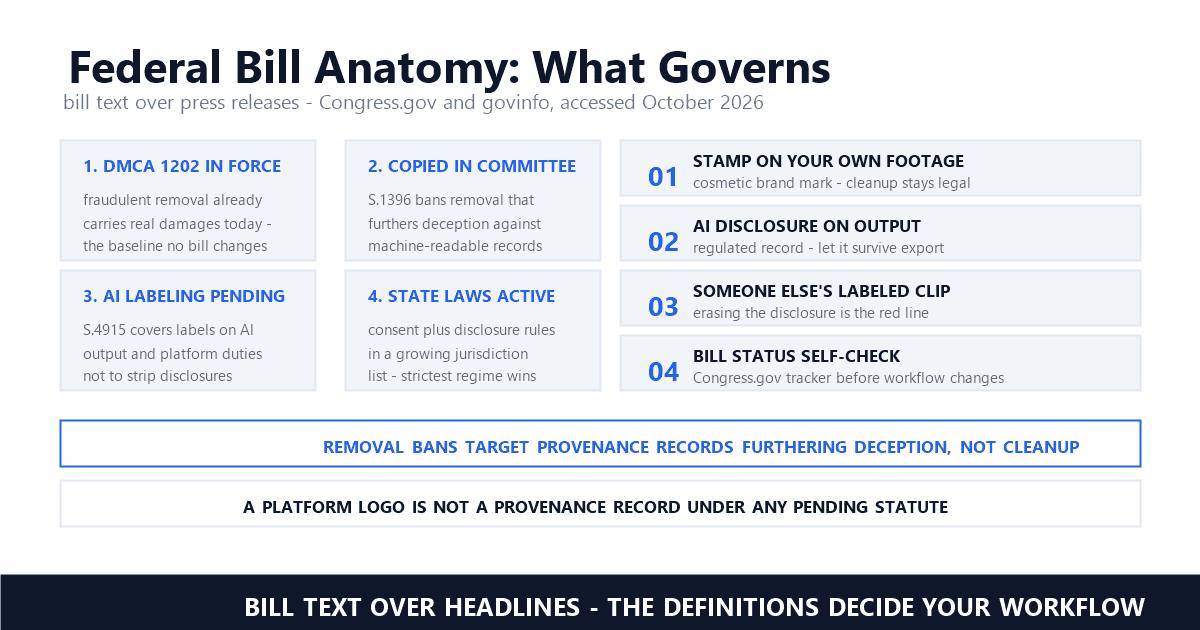
The legal layers around marks applied at render time are the ones we track across this series: when a mark qualifies as copyright management information, 17 U.S.C. § 1202 attaches statutory penalties to stripping it, and the EU AI Act and China's labeling measures govern the synthetic-content subset. Filmora's case is plainer than most — the mark signals an unpaid license on footage the editor itself rendered, so the four questions in our legality guide resolve quickly: the mark is Filmora's, the footage is the editor's output, the license is unpurchased, and the vendor's own pages define the file as final.
Our position as a removal product follows the vendor's own boundary: in our queue, trial marks on unlicensed editor output are out of scope, because the vendor sells the clean render and defines the marked one as permanent. What we do process are the owned-asset cases — creator footage with third-party overlays, the UGC handoff pattern and ad-compliance cleanups — and at volume that work is batch-shaped, documented in our processing walkthrough. The platforms that mark like Filmora — editors pricing the clean export — sit at one end of the spectrum we mapped from Veo to Sora's moving logo: the closer the mark is to the license itself, the less any remover has to offer.
Filmora is the clearest case in this series of a vendor saying the quiet part loudly: the watermark is final, the fix is upstream, and the free channels exist for one-off needs. Read the support pages in that order and every remover listing in the results becomes what it is — a slower route to a decision Wondershare already made for you.
Can I remove the Filmora watermark after exporting?
Not through Filmora. Wondershare's support pages define the trial mark as embedded in pixel data and permanent — even a later license purchase cannot strip it from a finished file. The sanctioned paths all run before export: activate a license, redeem the new-user free export, or use a referral license, then re-export from the .wfp project.
Does buying Filmora remove watermarks from old videos?
No. The license applies at export time. Wondershare states that already-exported watermarked videos cannot be cleaned by re-importing or in-software features even after purchasing. With the original .wfp project, re-exporting under the new license produces a clean file; without it, the official answer is re-editing from source materials.
Is there a free way to export Filmora without a watermark?
Yes, twice over. New registrants can redeem one free watermark-free export at the official redemption page — usable once, with a time limit after redemption — and the referral program grants a 3-day license for one clean export when an invited friend registers. Both run through Wondershare ID authentication.
Last updated: October 2026
Wondershare Support — How to remove the watermark from a video exported by Filmora free version after subscribing? (Official) (accessed October 2026)
Wondershare Support — How to output videos created with the trial version without watermarks? (Official) (accessed October 2026)
Filmora — How to Remove the Filmora Watermark For Free: 3 Proven Methods (accessed October 2026; updated September 29, 2026)
Filmora — Remove Watermark | Filmora Guide (Official) (accessed October 2026)
Filmora Shop — Buy Wondershare Filmora — Official Online Shop (checked October 10, 2026)
Filmora — 2026 Black Friday Blitz: Perpetual Plan (checked October 10, 2026)
Filmora Store — Wondershare Filmora Windows Plans and Pricing (Official) (checked October 2026)
Filmora — New User Free Export Redeem (Official) (accessed October 2026)
Mark Ma is the founder and lead engineer at UnMark, where he leads the development of AI-powered video watermark removal technology. With over a decade of experience in computer vision, deep learning, and video processing, he has built production systems that process millions of frames per month across TikTok, Instagram Reels, and Google Veo content. His technical work focuses on motion-compensated watermark detection, spatial-temporal inpainting, and quality-preserving reconstruction for short-form vertical video. Before UnMark, Mark shipped computer vision infrastructure at scale for content moderation and ad compliance platforms. He writes this blog to document the real engineering, testing, and regulatory reasoning behind UnMark's processing pipeline — every test result, frame analysis, and benchmark published here is reproduced from actual production data, not synthetic examples. His goal is to give creators, brands, and regulators a verifiable technical reference for AI video watermark removal in 2026.