Real Estate Video Watermark Removal: What Agents Get Wrong
Mark Ma
Last updated: September 2026
An account manager at a mid-size agency told me about the delivery that almost ended her client relationship: after six weeks of production, the final cut went out with an Adobe Stock preview grid still burned across two b-roll shots. Nobody on the team had touched a watermark remover. The footage was licensed — the license had just been bought by a producer whose account nobody could find on deadline day, so the editor shipped the preview render instead. She searched for agency video watermark removal afterwards and found tool pages that treated the whole problem as pixel cleanup. Her problem was never pixels. It was an unmanaged handoff.
I build watermark removal tooling at UnMark, and agencies are one of our sharpest user groups — not because they remove more marks than solo creators, but because every mark on their files sits on top of a contract. The same edit can be perfectly legal to clean on Monday and a statutory violation on Tuesday if the client's rights chain changed. The tool pages ranking for this search never mention that. This piece does: where agency watermarks actually come from, who holds the authority to remove each one, the official workflows that make cleanup legitimate, and the review-layer mistake I see even senior teams make.
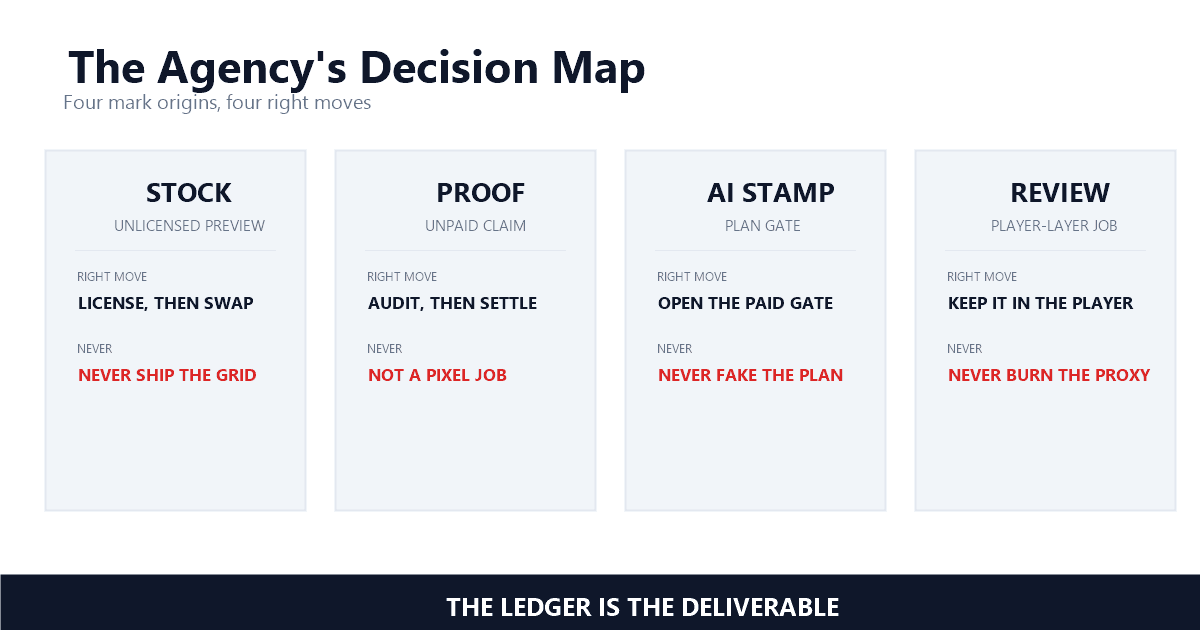
Four sources put most marks on agency video: the stock video preview that never got swapped for its licensed master, an AI tool's free-tier stamp, proofed files inherited from a previous agency, and a review copy burned into the deliverable by accident. The stock preview is the most expensive — it hides inside a finished edit until the client finds it.
The mechanism is boring and brutal at the same time. An editor drops a watermarked preview into the timeline to test pacing, the client approves the cut, licensing happens in a separate account with a separate invoice, and the render pipeline never checks whether the pixels on screen are the preview or the master. Adobe's own Premiere integration page documents the correct ending: "The preview is automatically replaced with the full resolution, non-watermarked video in your timeline with the same adjustments applied" — Adobe, Integrate Adobe Stock assets in Adobe Premiere. That replacement only happens when the licensed file is pulled through the same panel the preview came from. Editors who license on the website and drop in a fresh download bypass the swap, and the grid survives to the client's screen.
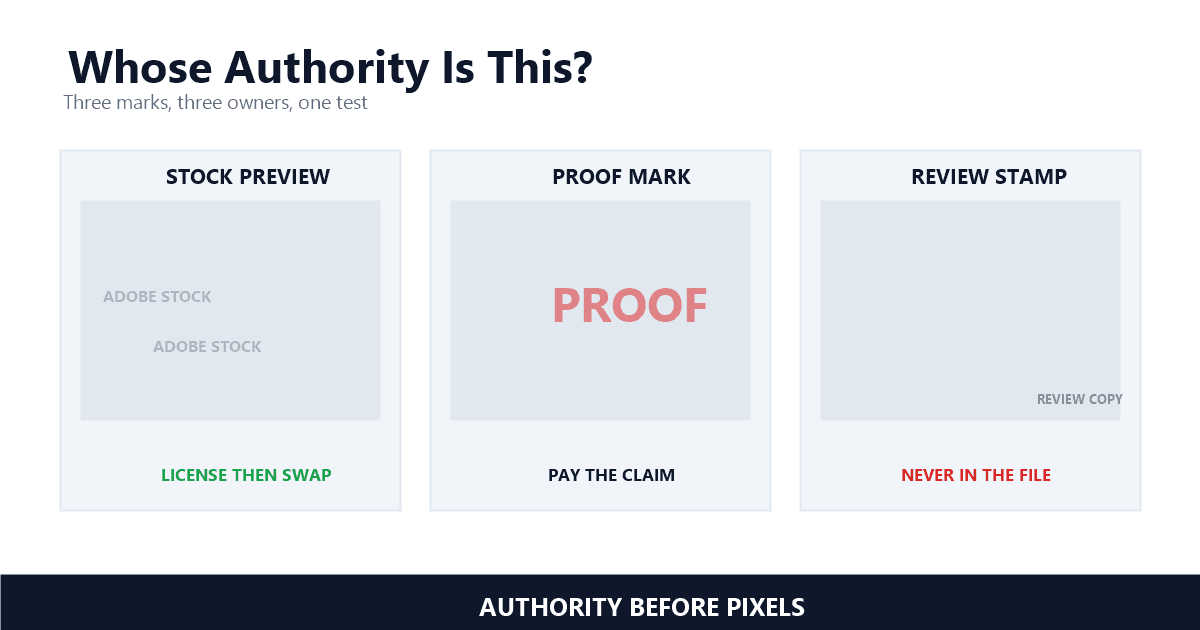
Authority is the legal gate in every agency cleanup, and it is a different question from ownership. The client may own the campaign outright as work for hire and still hand you files nobody in their company has the authority to strip, because the mark belongs to a third party whose permission runs through a license or a contract.
Authority is where the statute lands. Section 1202(b), on the books since 1998, provides that "No person shall, without the authority of the copyright owner or the law—(1) intentionally remove or alter any copyright management information" — Legal Information Institute, 17 U.S. Code § 1202. The phrase doing the work is "without the authority of the copyright owner," and in agency life the copyright owner is rarely in the room. The DMCA §1202 explainer unpacks the mechanics.
For agency workflows the practical test I run is a chain-of-authority check with three links. One: who shot or generated the footage, and what does their contract say about the mark. Two: who licenses the material — the client's procurement card and the agency's Adobe account are different rights holders, and deliverables need the license to match the use. Three: who is allowed to alter the file at all, which is what your master services agreement should say in writing. Client video watermark removal requests live or die on link one: whose mark is this, and who can say yes to its removal. Skip link three and you can be fully licensed and still be the person who "intentionally altered" the client's archival proof. The check takes minutes. Statutory damages start where the check would have stopped them.
More often than the tool pages admit. Stock platforms design their preview marks as workflow states, not insults: the watermark exists so editors can cut, pitch, and get client approval before anyone pays. Under that design, removing the Adobe Stock watermark is the documented end of a pipeline that starts with a license purchase.
Adobe's library documentation makes the licensed path explicit: "When you license the asset, all linked instances of the asset in your open files are automatically updated to the licensed, high-resolution asset without the watermark" — Adobe, Add assets from Adobe Stock to a Creative Cloud library. Adobe's Premiere page documents the same swap inside the timeline, which is why licensed footage should flow through the library rather than around it. Editors who license on the website and drop in a fresh download bypass the automatic replacement, and the preview grid survives into the render.
CapCut's official tutorial draws the same line from the tool side: "However, you need CapCut Pro for no watermark" — CapCut, CapCut No Watermark Tutorial, with the same page noting that "CapCut supports watermark-free output when Pro features aren't used." The mark is a plan gate, and the vendor's own pages tell you the gate opens on payment. The AI video legality guide covers the contractual edge cases — clean output gated to paid tiers is common across AI generators, and the agency wrinkle is whose account opens the gate. In my experience the provenance check settles it: name the session where the clean pixels existed. If the answer is "after the client pays for the license," the workflow is legitimate and the wait is part of it.
A watermark on inherited files is a status light on a dashboard: it tells you the rights state of that asset. A previous agency's proof from an unpaid invoice, a freelancer's portfolio mark, a lapsed stock grid — I read every inherited mark as a claim from someone upstream, and claims get resolved through records, not removal tools.
The common cases stack up fast, and a tool that promises to remove watermark from client video files without asking about the invoice skips every step that matters. Ask the client for original masters or project files before you touch anything — every professional shop keeps them, and the watermarked proof files that arrive are almost never the masters. If the master cannot be produced, the mark's owner can tell you what settlement clears it: a paid invoice, a license backfill, or a re-edit from unmarked sources. What I tell agency teams is simple: bid the cleanup as line items, not as goodwill. Faded marks leave artifacts, mask-size economics decide how much of the frame gets rebuilt, and the client deserves a quote that reflects repair area, not a shrug. One campaign retrofit I reviewed turned into 60 seconds of mask work per shot across 20 videos — quotable, scoped, finished.
The review copy is where agencies engineer their own disasters. A cut goes to the client wearing a visible review stamp, someone exports one quick file from the review context, and the stamped render becomes the agency deliverable. The professional pattern already exists one layer up: modern review platforms apply their marks at the player, never in the file.
Frame.io's documentation separates the layers cleanly: "Unlike session-based watermarking which shows the viewer's session information on-screen, Forensic Watermarking captures equivalent information after the embedding/detection process, but is not visible to the viewer" — Frame.io, Forensic Watermarking. Their launch post is more explicit about the mechanism: "Frame.io generates these watermarks on-the-fly for every video playback, in-app or in Review links" — Frame.io blog, NAB 2023: Announcing Forensic Watermarking.
On-the-fly is the phrase that matters. Session-based review watermarking overlays the viewer's identity on their stream — "shows the viewer's session information on-screen" — precisely so the mark never ships in any file, ever. If your review process burns a stamp into the master, you are running a protection feature backwards: the leak protection becomes the leak. Keep review marks in the player layer, deliver from the master, and the stamped file that terrified your client simply never exists. The same discipline applies to approval gates — the UGC creator workflow guide shows the approval loop where brand teams sign off on clean masters, not on stamped proxies.
Campaign retrospectives and account migrations turn watermark cleanup into a batch job: 20 videos across years of sprints, all wearing the logo the rebrand killed. What agency work adds is a ledger — every file carries three fields before processing starts: where the mark came from, what document authorizes removing it, and which master the clean render derives from.
The batch walkthrough covers the mechanics at scale — consistent mask placement across a library, one render pass per source resolution, no per-clip fiddling. The ledger is what turns 20 renders into a deliverable instead of 20 liabilities.
Quality control scales the same way. A library batch is where flicker and edge artifacts hide, because nobody watches 20 retrofitted videos frame by frame — the quality metrics guide covers the numbers that catch what the eye skims. In my testing the pass rule is unchanged from any other job: full-length watch on the hero assets, spot checks at mask zones on the rest, and a written note when a source is too degraded to clean honestly. The full pipeline walkthrough shows what that repair looks like shot by shot. Hand the client the ledger with the files and the handoff audit shrinks to a read-through.
A competitor's campaign video with their logo scraped off is not a cleanup, it is the piracy playbook wearing a lanyard — and agencies touch competitor material more than any other role in this series. Provenance is the second gate here: name where the file came from, and the correct move usually names itself.
The ad platform compliance guide covers what happens when stamped material reaches ad review, and the rejection is the gentlest outcome on that path. The other never is quieter: the client who asks you to clean a mark on files their own records cannot justify. "Just make it look like it was always ours" is the sentence I would hang a services agreement on refusing. The ecommerce guide shows the supplier version of the same trap — a "clean" file that one check upstream would have caught.
Marks on your client's own campaign footage under a live contract — yours to clean. Marks owned by anyone else — a conversation, a license, or a decline. That discipline costs nothing on the good days and is the whole ballgame on the bad ones, which is why every agency template I respect writes the chain of authority into the statement of work instead of trusting the tool stack to remember it. The tools are good now. They have never once asked whose mark it was — that question stays human, and it is the one an agency gets paid to answer.
Last updated: September 2026
Mark Ma is the founder and lead engineer at UnMark, where he leads the development of AI-powered video watermark removal technology. With over a decade of experience in computer vision, deep learning, and video processing, he has built production systems that process millions of frames per month across TikTok, Instagram Reels, and Google Veo content. His technical work focuses on motion-compensated watermark detection, spatial-temporal inpainting, and quality-preserving reconstruction for short-form vertical video. Before UnMark, Mark shipped computer vision infrastructure at scale for content moderation and ad compliance platforms. He writes this blog to document the real engineering, testing, and regulatory reasoning behind UnMark's processing pipeline — every test result, frame analysis, and benchmark published here is reproduced from actual production data, not synthetic examples. His goal is to give creators, brands, and regulators a verifiable technical reference for AI video watermark removal in 2026.